How to Start an Online Business for Free: Step by Step From Idea to First Sale
You want to start an online business.
But before you have made your first dollar, people are already telling you to buy web hosting, a premium theme, an email marketing subscription, a page builder, ecommerce software, design software and advertising.
That makes starting feel expensive.
It does not have to begin that way.
You can build and test a simple online business without paying upfront for a large software stack. Free AI tools can help with research and drafting. Free design tools can help you package a useful PDF. A free sales platform can give you pages, checkout, email and automated delivery. Organic marketing can bring your first visitors without an advertising budget.
That does not mean every online business will remain completely free. Payment processors can charge transaction fees. A domain is optional but may cost money. Paid advertising obviously costs money, and you may eventually outgrow free software limits.
But none of those things needs to stop you from testing your first idea.
How to Start an Online Business for Free: Step by Step
This guide will build one realistic beginner business from the ground up.
We will use a simple digital product because it avoids inventory, packaging and shipping.
The process is:
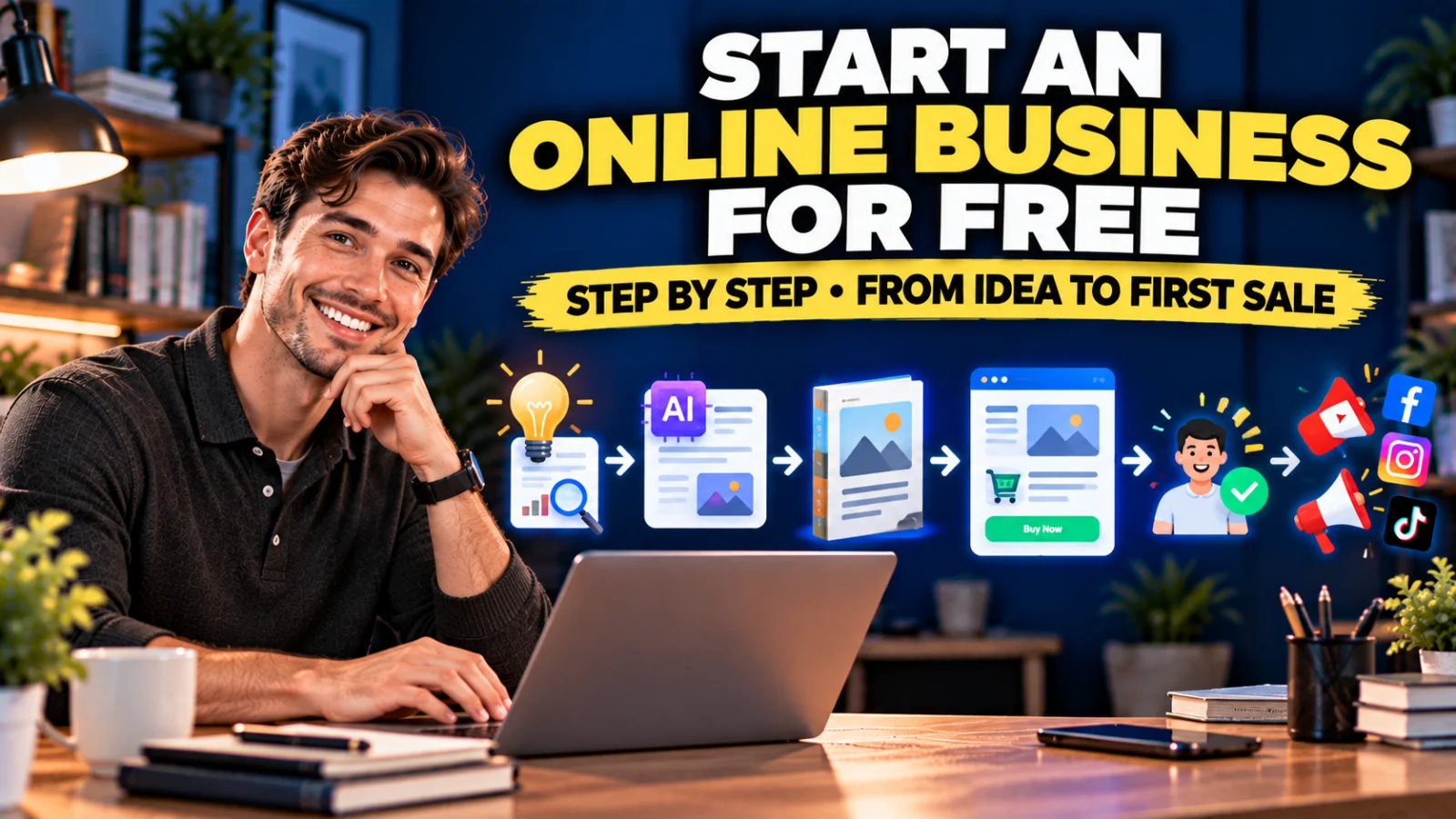
Find a Problem → Validate Demand → Create a Useful PDF Product → Build the Offer → Set Up Systeme.io → Test the Purchase → Market for Free → Add Paid Marketing Later
The objective is not to build a giant company in one weekend.
The objective is to create one useful product and one complete system that can make a real sale.
How to Start an Online Business for Free Without Skipping the Research
The biggest mistake is opening an AI tool and typing:
“Give me an ebook I can sell.”
You may get 50 ideas in seconds.
But an idea generated quickly is not evidence that somebody wants to buy it.
Research comes before writing.
Step 1: Start With a Problem, Not a Product Format
Do not begin with:
“I want to sell a PDF.”
A PDF is only a delivery format.
Begin with:
“Who am I helping, and what annoying problem can I make easier?”
Useful beginner markets can come from work you understand, hobbies you practice, customers you already serve or recurring problems you see people discussing.
Examples:
- freelancers struggling to follow up unpaid invoices;
- small businesses forgetting leads;
- new gardeners unsure what to do each week;
- teachers needing classroom planning resources;
- job seekers preparing for interviews;
- new creators planning social content;
- parents organizing household routines;
- small service businesses onboarding new clients.
Notice that these are problems and audiences—not ebook titles.
Step 2: Collect Evidence That the Problem Exists
Before creating anything, spend time looking for demand signals.
Current product-validation guidance consistently recommends checking whether people are searching for solutions, buying competing products and discussing the problem in reviews, forums and social media. Competition can be evidence that a market exists; your job is to identify where buyers are still underserved.
You can research for free using:
- Google search and autocomplete;
- Google Trends;
- YouTube search suggestions;
- Reddit discussions;
- Facebook or LinkedIn groups where appropriate;
- comments under popular videos;
- marketplace listings;
- reviews of competing products;
- questions customers repeatedly ask.
You are looking for repeated language.
If five unrelated people describe the same frustration in slightly different ways, write it down.
Step 3: Research the Existing Solutions
Competition is not automatically bad.
If nobody sells anything related to your idea, that could mean you discovered an untouched opportunity.
It could also mean nobody wants it.
Study existing products and ask:
- What exactly are they selling?
- Who is the buyer?
- What outcome do they promise?
- What is included?
- How is the product presented?
- What do positive reviews praise?
- What do negative reviews complain about?
- What questions remain unanswered?
Do not copy a competitor’s product.
Use the research to understand the market’s expectations and find a narrower angle.
Step 4: Turn a Broad Problem Into a Small Product
Let us use a concrete example.
Broad audience:
Freelancers.
That is too broad.
Problem:
Clients pay late and freelancers do not know when or how to follow up.
That is more useful.
Possible product:
Freelancer Invoice & Payment Follow-Up Kit.
Instead of writing a generic 80-page ebook called The Ultimate Guide to Freelancing, create a compact product that helps with one job.
It could include:
- a payment follow-up checklist;
- an invoice tracker;
- a “when to follow up” timeline;
- polite reminder email templates;
- firmer second-reminder templates;
- a final-payment reminder template;
- a client payment policy worksheet.
That is easier to explain because the buyer can immediately understand what it is for.
Step 5: Validate Before You Spend Days Creating It
Research reduces risk, but actual buyer behavior is stronger evidence.
You can run a lightweight validation test before creating a large product.
For example:
- Write a one-paragraph description of the product.
- Create a simple mockup or cover.
- Show it to people who match the target audience.
- Ask what they would expect inside.
- Ask what they currently do instead.
- Create a simple waitlist or interest page.
- Measure whether strangers—not only friends—show interest.
Do not spend three months perfecting a product that nobody has asked for.
Step 6: Decide What the PDF Must Help the Buyer Do
Before asking AI to write, define the outcome.
For our example:
Before: Freelancer remembers late invoices randomly and feels awkward writing reminders.
After: Freelancer has a repeatable schedule, tracking sheet and ready-to-edit follow-up messages.
Now every page of the product has a reason to exist.
A good digital product does not need to be long.
It needs to be useful.
Step 7: Use AI as a Research and Drafting Assistant
AI can dramatically reduce the time required to organize information, but do not outsource judgment to it.
A better workflow is:
Your research → AI organization → AI draft → Your verification → Your examples → Final editing
For example, give the AI your research notes and ask:
“These are recurring complaints I found from freelancers dealing with late invoices. Group the complaints into themes. Do not invent new evidence.”
Then:
“Based on these themes, propose a practical checklist and worksheet structure that helps a freelancer track invoices and decide when to follow up.”
Then:
“Draft three payment-reminder templates: friendly reminder, second reminder and overdue notice. Keep placeholders for invoice number, amount and due date.”
This gives AI constraints.
You are not asking it to hallucinate an entire business.
Step 8: Fact-Check Anything That Could Harm the Buyer
This matters especially for products involving:
- finance;
- tax;
- law;
- health;
- safety;
- employment rules;
- regulated industries.
AI can produce confident-looking mistakes.
If your product includes factual claims, regulations, formulas or professional advice, verify them against authoritative current sources and clearly define the scope of what the product does.
For a first product, a lower-risk operational resource—such as a planner, tracker, checklist, worksheet or communication template—can be easier to manage responsibly.
Step 9: Add Something AI Cannot Generate From a Generic Prompt
If your entire product could be reproduced by asking a chatbot one sentence, buyers have little reason to pay you.
Add value through:
- your own workflow;
- real examples;
- a better sequence;
- editable worksheets;
- decision trees;
- checklists;
- templates;
- niche-specific language;
- tested instructions;
- a useful combination of resources.
The value is not “this text came from a human.”
The value is that somebody did the work of researching, selecting, organizing, checking and packaging the information into something easier to use.
Step 10: Design the Product as a PDF
You do not need expensive publishing software for a first test.
Use a document or design tool you are comfortable with, including free options where available.
A practical PDF structure might be:
- Cover.
- Who this product is for.
- How to use it.
- Core framework or instructions.
- Checklist.
- Worksheet or tracker.
- Templates.
- Example.
- Next steps.
Keep typography readable and leave enough space for the buyer to actually use worksheets.
Do not fill every page with decoration simply to make the product look longer.
Step 11: Give the Product a Clear Name
Compare these two names:
Freelancing Success Ebook
versus:
Freelancer Invoice & Payment Follow-Up Kit
The second is more specific about the audience and job.
A useful naming formula is:
[Audience] + [Problem/Outcome] + [Format]
Examples:
- Freelancer Client Onboarding Checklist
- Small Business Lead Follow-Up Kit
- First-Time Gardener Weekly Planner
- Job Interview Preparation Workbook
- Wedding Vendor Comparison Worksheet
Step 12: Decide on a Simple Starting Price
Do not choose price based only on page count.
A 12-page resource that saves someone two hours every week may be more useful than a 100-page ebook they never finish.
Look at:
- the problem’s importance;
- the buyer;
- competing products;
- how immediately useful the resource is;
- how specific the solution is;
- whether it saves time, reduces mistakes or helps generate revenue.
Your first price is a hypothesis.
Real buyer response will teach you more than endlessly debating the perfect number.
Step 13: Now Build the Selling System
At this point you have:
- a target customer;
- a researched problem;
- a focused product;
- a PDF file;
- a price.
Now you need somewhere to sell it.
A beginner might assume this means buying web hosting and building an ecommerce website.
You can do that later.
For this first test, we can use Systeme.io.
Why Systeme.io Works Well for This Beginner Business
The reason is not simply that it has a free page builder.
It combines several jobs that otherwise might require separate software:
- sales funnels;
- sales pages;
- order forms;
- contact management;
- email marketing;
- basic automation;
- digital-product delivery;
- upsells and order bumps;
- affiliate management for later growth.
Its current Free plan is permanent and requires no credit card. It includes up to 2,000 contacts, 3 sales funnels, 1 course, 1 custom domain, unlimited email sends and unlimited file storage. Systeme.io also currently states that it charges 0% platform transaction fees, although your payment processor can still charge processing fees.
If you are following this tutorial from zero, create your free Systeme.io account here.
Affiliate disclosure: The Systeme.io link above is an affiliate link. If you later upgrade to a paid plan, I may earn a commission at no additional cost to you.
Step 14: Create Your First Sales Funnel
Inside Systeme.io, go to Sites → Sales funnels → Create.
For selling a digital product, the Sell funnel type gives you the core sales structure, including an order form and thank-you page. You can add a dedicated sales page as another funnel step.
Your first funnel can be:
Sales Page → Order Form → Thank-You / Download Page
Do not add six upsells before you have sold the main product once.
Step 15: Build a Sales Page That Explains the Problem
Your page does not need clever marketing language.
It needs clarity.
For our freelancer product, the top of the page could communicate:
Stop Guessing When to Chase Late Client Payments
Then explain:
- who the kit is for;
- the late-payment problem;
- what is included;
- how each resource helps;
- the file format;
- the price;
- what happens after payment.
Use screenshots or mockups of the actual pages rather than filling the sales page with unrelated stock images.
Step 16: Create the Order Form
Systeme.io’s current order-form setup lets you select Digital product as the offer type and configure a price plan.
Price-plan types currently include:
- one-time payment;
- subscription;
- payment plan.
For a small PDF kit, a one-time payment is the simplest starting point.
Step 17: Connect Your Payment Processor
Connect a payment method that is supported for your account and location.
This is one area where “start free” needs a qualification.
You can avoid an upfront monthly software subscription, but payment processors normally charge transaction-processing fees when a customer pays you.
That is different from paying for a large software stack before you have any customers.
Step 18: Deliver the PDF Automatically
Do not plan to manually email every customer.
Systeme.io’s current documentation provides three practical methods for delivering an ebook or PDF after purchase:
- send the file as an email attachment;
- send a download link in an email;
- put the download link on the thank-you page.
Systeme.io currently limits email attachments to 5 MB, so a download link can be more practical for larger files.
For a simple product, the customer journey can be:
Payment → Thank-You Page → Download Product
You can also send a confirmation email so the customer has a record of where to access the file.
Step 19: Test the Entire Purchase Before Marketing
Never assume that because each page looks correct, the funnel works.
Test:
- sales-page buttons;
- mobile layout;
- order form;
- price;
- payment connection;
- redirect after payment;
- download link;
- email delivery;
- the PDF itself.
Open the PDF from a different device.
Make sure links work and the file is readable.
Step 20: Start With Free Marketing
Now you need attention.
Free marketing does not mean zero effort.
You are paying with time, consistency and useful content rather than buying immediate distribution.
The best channel depends on the product and audience.
Free Marketing Method 1: Search-Based Content
Create content around the problem your product solves.
For our example:
- How to Follow Up an Unpaid Invoice Without Sounding Rude
- When Should a Freelancer Send a Payment Reminder?
- What to Say When a Client Misses an Invoice Due Date
- A Simple Invoice Follow-Up Schedule for Freelancers
These topics can become blog articles, YouTube videos or both.
The product is a natural next step because it solves the same problem.
Free Marketing Method 2: Short-Form Video
Turn one small problem into one useful short video.
Examples:
“Your invoice was due 7 days ago? Send this instead of ‘Just checking in.’”
“3 dates every freelancer should track after sending an invoice.”
“The mistake that makes late-payment follow-up awkward.”
The objective is not to squeeze the whole product into the video.
Teach one useful idea and point interested viewers toward the complete resource.
Free Marketing Method 3: Helpful Community Participation
Find communities where your target audience already discusses the problem.
Do not enter every group and paste your sales link.
Answer questions.
Explain processes.
Share useful examples where promotion is permitted.
Over time, useful participation can produce profile visits, trust and product discovery.
Free Marketing Method 4: Build an Email List
Not everybody who discovers you will buy immediately.
Create a small free resource related to the paid product.
For example:
Free: 5-Day Invoice Follow-Up Checklist
Paid: Freelancer Invoice & Payment Follow-Up Kit
Your funnel becomes:
Content → Free Checklist → Email → Paid Kit
Systeme.io can create the opt-in page, store the contact and send the email campaign from the same account.
Free Marketing Method 5: YouTube
YouTube is particularly useful when the problem benefits from explanation or demonstration.
A long-form tutorial can attract people who are actively trying to solve the problem.
You can place the product link in the description and mention it only where it is relevant.
Useful videos can continue sending visitors long after publication, although results are not immediate or guaranteed.
Free Marketing Method 6: Partnerships and Affiliates
Once the product and checkout work, other creators or businesses serving the same audience may be able to recommend it.
Systeme.io includes affiliate-management functionality, including one affiliate program on the current Free plan.
Do not make this your first setup task.
Prove the offer and customer experience first.
When Should You Consider Paid Marketing?
Paid advertising buys distribution.
It does not repair an unclear product.
Before paying for traffic, you should ideally know:
- who the buyer is;
- which problem gets their attention;
- that the sales page works technically;
- that the checkout works;
- that the product is delivered correctly;
- what a sale is worth to you.
If you cannot explain why someone should buy the product in one or two sentences, advertising is unlikely to fix that.
Paid Marketing Option 1: Search Ads
Search advertising can be useful when people actively search for the exact problem or solution.
The advantage is intent.
The disadvantage is that competitive keywords can be expensive.
Start with tightly relevant queries rather than buying broad traffic simply because it has high search volume.
Paid Marketing Option 2: Meta Ads
Facebook and Instagram ads can help you reach defined audiences and test different creative angles.
For a new offer, test a small number of clearly different messages rather than changing ten variables at once.
Track what happens after the click—not only likes or impressions.
Paid Marketing Option 3: TikTok Ads
TikTok can fit products that can be demonstrated or explained through short, native-feeling creative.
The ad should usually feel like useful content first, not a static brochure squeezed into a vertical video.
Paid Marketing Option 4: Creator Sponsorships
You can pay a creator with the right audience to demonstrate or discuss the product.
Audience relevance matters more than follower count alone.
A small niche creator whose viewers are exactly your buyers can be more useful than a broad audience with little interest in the problem.
Do Not Scale Paid Ads Based on Revenue Alone
Suppose you spend $100 on ads and generate $120 in sales.
That does not automatically mean you made $20 profit.
You may still have:
- payment-processing fees;
- refunds;
- tax obligations;
- affiliate commissions;
- software costs;
- your own fulfillment or support costs.
Know your economics before increasing the budget.
A Simple Free-to-Paid Growth Path
You do not need every marketing channel at once.
A sensible progression is:
Stage 1 — Free:
Research → Product → Systeme.io Funnel → Organic Content
Stage 2 — Validation:
First Visitors → First Leads → First Sales → Customer Feedback
Stage 3 — Improve:
Better Product → Better Sales Page → Email Follow-Up → More Content
Stage 4 — Paid:
Small Ad Test → Measure Cost per Sale → Improve → Scale Carefully
Paid marketing becomes an accelerator for something that already makes sense rather than a rescue plan for an untested offer.
Your First 7-Day Action Plan
Day 1: Pick one audience and collect at least 20 real problem statements from search results, comments, reviews and communities.
Day 2: Study competing solutions. Choose one narrow problem and define the before/after outcome.
Day 3: Create the product outline. Use AI to organize your research and draft sections, then verify and improve them.
Day 4: Finish the PDF, worksheets, templates and cover. Test every link and page.
Day 5: Create your Systeme.io account and build Sales Page → Order Form → Thank-You/Download.
Day 6: Connect payment, configure product delivery and test the entire customer journey.
Day 7: Publish your first useful article, video or social content that solves a small part of the same problem.
Seven days is not a promise that you will make a sale.
It is a deadline for getting a researched offer into the market so you can begin learning from real people.
What Should You Spend Money on First?
Not software simply because another business uses it.
Spend when a real bottleneck appears.
Examples:
You need more funnels or contacts. Upgrade the platform.
Your organic content converts but grows slowly. Test paid distribution.
Your brand needs a stronger permanent home. Buy a domain or build a fuller website.
Your design is limiting trust or usability. Improve the product design.
You spend hours on repetitive work. Add automation.
Let the business earn complexity.
Start Free, but Build Something Worth Paying For
The fact that you can start with free tools does not mean the product should feel cheap.
Your customer is paying for the usefulness of the result.
Research the problem.
Organize the solution.
Check your facts.
Make the resource easy to use.
Build a reliable purchase and delivery experience.
Then market the problem you solve—not the fact that you made a PDF.
If you want to build the sales system while following this guide, start your free Systeme.io account here.
Final Takeaway
You do not need a large budget to test your first online business.
You need a problem worth solving, evidence that the problem exists, a focused product, a way to accept payment and a way to reach potential buyers.
AI can help you research, structure, draft and edit faster.
A PDF can turn a useful framework, checklist, worksheet or template into a simple digital product.
Systeme.io can provide the sales funnel, checkout, email and delivery infrastructure without an upfront monthly subscription on its current Free plan.
Organic marketing lets you begin earning attention with time and useful content.
Paid marketing can come later, when you have enough evidence to know what message and offer you are paying to distribute.
The goal is not to build everything for free forever.
The goal is to remove unnecessary costs between you and your first real market test.
Research first. Build something useful. Put it in front of real people. Learn. Then invest.
Suggested Articles to Read
 Want to Sell an Online Course Without Building a Website?
 Want to Sell an Online Course? Here’s the System You Actually Need
 Systeme.io vs WooCommerce: Which Is Simpler for Selling One Digital Product?
 Systeme.io vs Teachable: Which Is Better for Selling Your First Online Course?
 Systeme.io Review: Is It Worth It for Beginners in 2026?