How to Sell Digital Products Without Building a Website
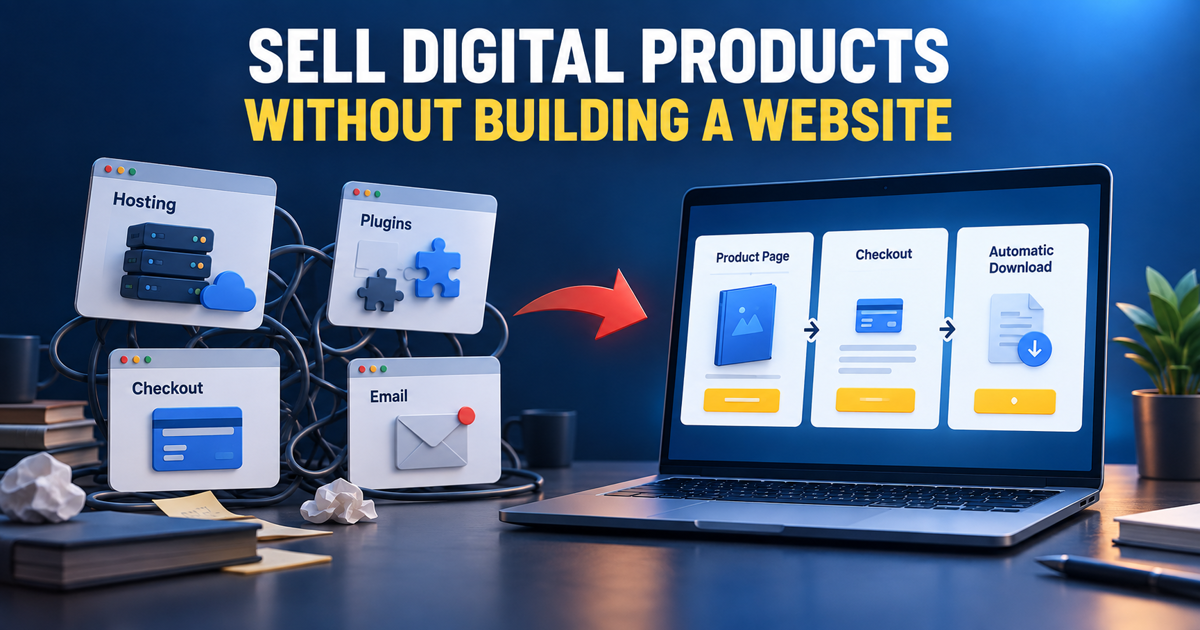
You do not need to build and maintain a traditional website before selling an ebook, template, printable, course or other digital product. What you actually need is a focused sales system: a page that explains the offer, a secure checkout, a way to accept payment and an automatic delivery process.
A traditional WordPress setup can provide all of those components, but it usually requires hosting, a theme and several plugins. An all-in-one platform such as systeme.io combines the main sales tools inside one account, making it easier to launch before you invest time in a complete website.
What Do You Actually Need to Sell a Digital Product?
A digital-product business does not require dozens of pages. A simple first version needs only a few connected parts:
- A useful digital product that solves a specific problem
- A sales page that explains the result and what is included
- An order form connected to a payment processor
- An automatic confirmation and delivery method
- A basic email follow-up process
- A clear refund, privacy and usage policy
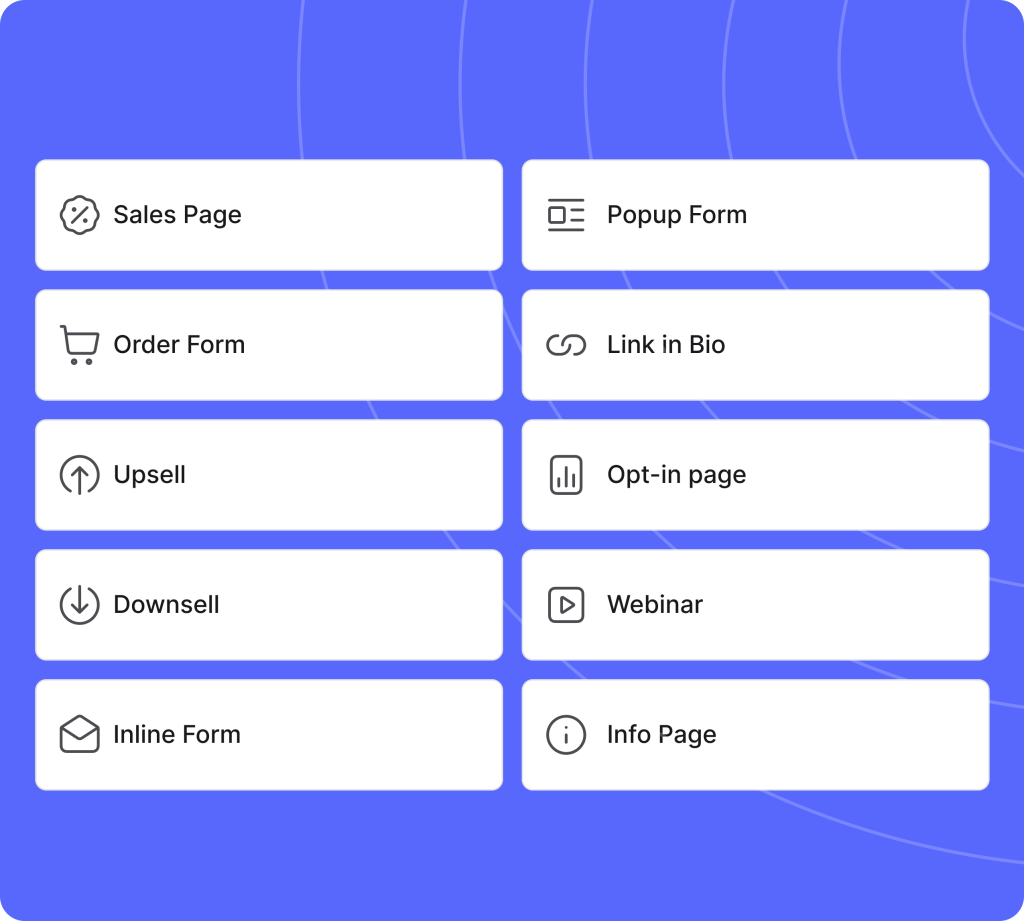
Systeme.io packages these functions into a sales funnel. Instead of constructing a complete website around the product, you create only the steps required to move a visitor from interest to purchase and delivery.
The Traditional WordPress Setup
WordPress is powerful and flexible, especially for a content-heavy website. However, WordPress itself is only the content-management system. Selling digital products normally requires additional services and decisions.
A typical setup may include:
- A domain and web-hosting plan
- WordPress installation and configuration
- A theme or page builder
- An ecommerce or checkout plugin
- A digital-download or membership solution
- An email-marketing service
- An automation or integration plugin
- Security, backup, caching and spam-protection tools
Each component can work well, but the owner is responsible for connecting everything and keeping it compatible. WordPress core, themes and plugins must be updated, backups must be monitored and checkout changes should be tested carefully.
Why Systeme.io Is Simpler for a First Product
Systeme.io approaches the job as one connected sales workflow. The page builder, funnel steps, checkout, email tools, automation and product delivery are designed to work together.
This provides several practical advantages for a beginner:
- No separate hosting setup: Your funnel pages are hosted by the platform.
- Fewer integrations: Pages, checkout, email and automation live in the same account.
- Faster launch: You can build only the required sales steps instead of a complete website.
- Automatic delivery: A purchase can trigger an email, file link, tag or course access.
- Built-in follow-up: Customers can enter an email campaign after buying.
- Lower initial commitment: The official product guide states that you can build the workflow on the free plan.
WordPress vs Systeme.io for Digital Products
| Requirement | Traditional WordPress setup | Systeme.io |
|---|---|---|
| Hosting | Choose and manage a hosting provider | Hosted funnel pages are included |
| Page design | Theme or page-builder plugin | Visual funnel-page editor |
| Checkout | Ecommerce or checkout plugin | Order-form funnel step |
| Email marketing | Usually a separate provider or plugin | Built into the platform |
| Automation | Plugin, connector or custom integration | Rules and workflows are integrated |
| Maintenance | Core, theme, plugins, backups and security | Platform infrastructure is managed for you |
| Flexibility | Very high with the right technical setup | Faster and simpler, but within platform features |
The best choice depends on the project. Systeme.io is attractive when speed and simplicity matter more than unrestricted customization. WordPress becomes more attractive when the website itself is a major business asset and you are prepared to manage the technical stack.
Step 1: Prepare the Product and Offer
Start with one product for one audience. Define the problem it solves, the files or access the buyer receives, the price and any bonuses. Prepare the final product before connecting the delivery workflow.
Common beginner-friendly products include ebooks, checklists, templates, printables, presets and prompt packs. Courses and memberships can also work, but they require more content and customer support.
Step 2: Create the Sales Funnel
Inside systeme.io, create a funnel using the Sell goal. This provides the essential commercial structure, including an order form and thank-you page. Add a sales page before the order form if you need more space to explain the offer.
Your sales page should include:
- A headline describing the main result
- The problem the product helps solve
- Exactly what the customer receives
- Genuine proof or examples
- The price and refund conditions
- One clear purchase button
Step 3: Configure the Digital Product
Open the order-form step and create the offer. Choose the appropriate digital resource, set the price and connect the payment method available for your account and location.
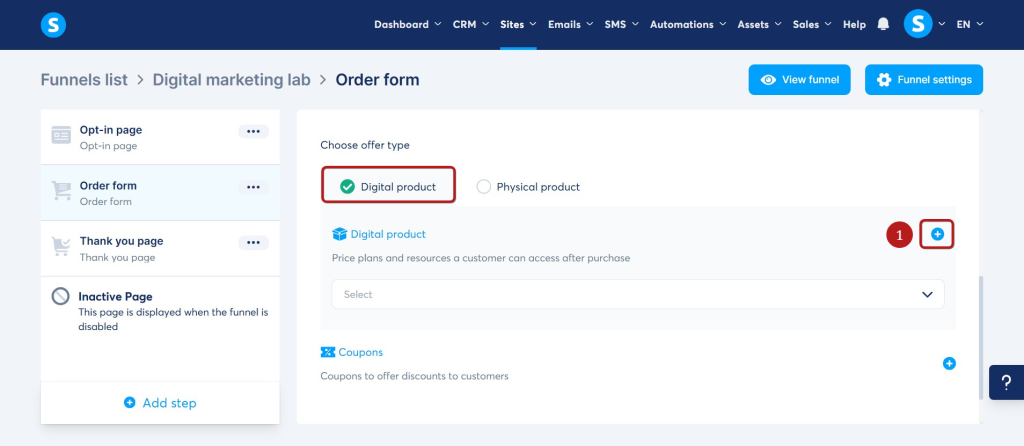
Review the checkout as a customer would see it. Remove unnecessary fields and make the product name, total price and payment action easy to understand.
Step 4: Automate Product Delivery
Automatic delivery is one of the most important advantages of using a connected platform. Create an automation rule using a successful sale as the trigger. The action can send a delivery email, add a customer tag, provide course access or subscribe the buyer to a customer campaign.
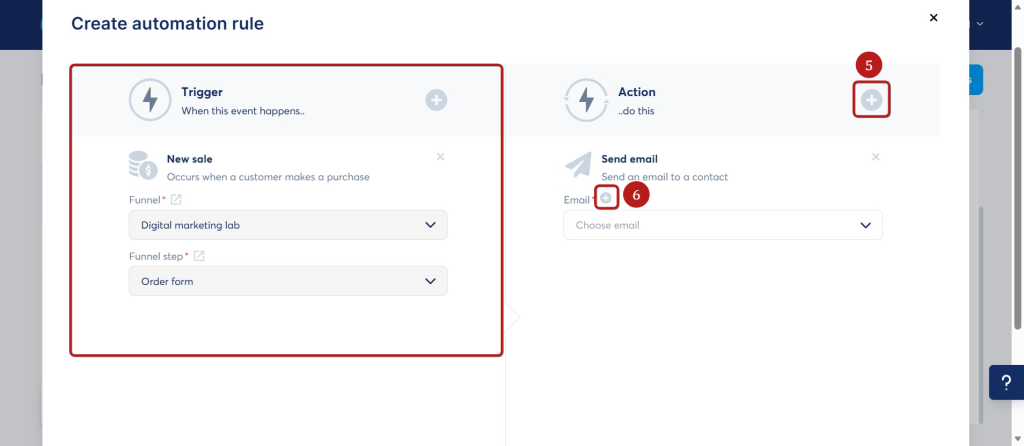
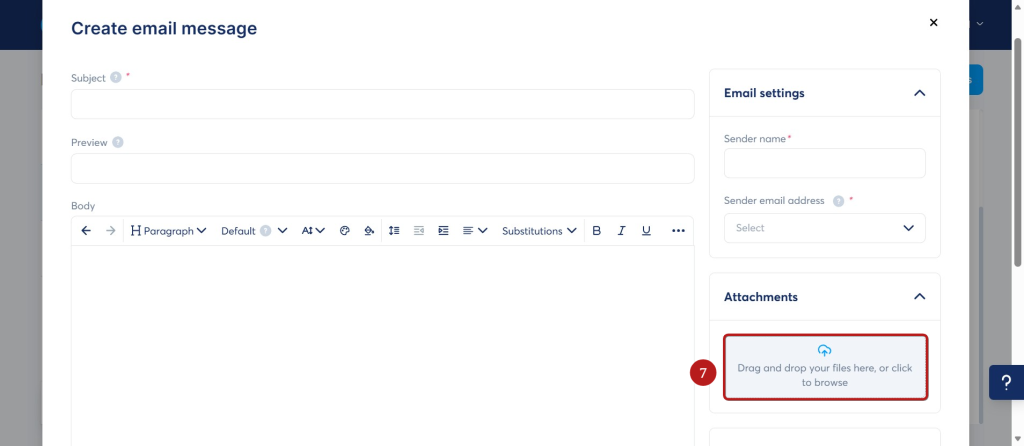
For a downloadable file, send a clear link in the confirmation email. Keep the subject line recognizable and explain what the customer purchased, where to access it and how to contact you if the link fails.
Step 5: Test the Complete Purchase
Do not send traffic to the page until you have tested the customer journey. Use a test payment method when available or make a real low-value purchase and refund it afterward if appropriate.
- Open the sales page on desktop and mobile
- Confirm every purchase button reaches the correct order form
- Verify the payment is recorded
- Check that the customer receives the correct product
- Open every download or access link
- Confirm the customer tag and campaign are applied
- Review the receipt, refund policy and support information
What Systeme.io Does Not Replace
An all-in-one platform reduces technical setup, but it does not create demand for the product. You still need to validate the idea, write convincing sales copy, bring qualified visitors to the page and support your customers.
You should also verify your local requirements for business registration, privacy, refunds and tax on digital products. Platform automation does not remove those responsibilities.
When Should You Choose WordPress Instead?
Choose WordPress when you need a large content library, advanced organic-search architecture, highly customized functionality or full control over the hosting environment. It is also reasonable when you already operate a stable WordPress website and have a trusted ecommerce stack.
Choose systeme.io when you are starting with one or a few offers, want to avoid managing several plugins and prefer to keep the page, payment, email and automation workflow together.
Final Thoughts
You can sell a digital product without building a traditional website first. A focused sales funnel provides the commercial pages and automation required to launch, while avoiding much of the hosting and plugin work associated with a new WordPress setup.
Start with the smallest reliable system: one product, one sales page, one checkout and one tested delivery process. Build a larger website only when your content, brand or customer experience genuinely requires it.
Ready to Launch Your Digital Product?
Create your sales page, checkout and automated delivery workflow in one place.
Affiliate disclosure: This article may contain affiliate links. If you sign up or make a purchase through one of these links, I may earn a commission at no additional cost to you.