15 Client Onboarding Templates You Can Create and Sell

A smooth client onboarding process does more than make a business look organized. It helps both sides understand what happens next, what information is needed, who is responsible for each step, and what could delay the project.
That makes onboarding a useful digital-product category for freelancers, consultants, designers, marketers, photographers, virtual assistants, and other service businesses.
You do not need to build a giant “business bundle.” A focused template that solves one onboarding problem can be easier to understand, easier to niche, and easier to test with real buyers.
Client Onboarding Templates You Can Create and Sell
Think of onboarding as the bridge between “the client said yes” and “the project is ready to begin.”
Client Says Yes → Agreement / Payment Step → Welcome → Information → Assets → Access → Kickoff → Project Ready
The 15 ideas below target different points along that bridge.
Client Onboarding Templates You Can Create and Sell for Specific Service Niches
The strongest version is usually not “for all businesses.” A web designer, wedding photographer, bookkeeper, social media manager, and virtual assistant need different information from a new client. Build the workflow first, then adapt the questions and examples to the niche.
1. Client Onboarding Checklist
Problem: The provider knows a project has been sold but has no consistent list of what must happen before work starts.
A checklist can cover agreement status, initial payment status where applicable, client details, communication channel, questionnaire, files, secure access, kickoff scheduling, project setup, and confirmation that onboarding is complete.
Quick execution: Split tasks into Business, Client, and Complete. Add an owner and due date so the checklist becomes actionable rather than decorative.
2. Client Welcome Packet
Problem: New clients repeatedly ask how the working relationship will operate.
A concise welcome packet can explain communication, typical project stages, response expectations, feedback, meetings, revisions, file delivery, and where to ask questions.
Quick execution: Review questions from your last five projects. If you answered the same question several times, it probably belongs in the packet.
Niche example: “Website Design Client Welcome Guide” is clearer than “Ultimate Client Welcome Packet.”
3. New Client Questionnaire
Problem: Work begins with incomplete context about the client, audience, goals, offer, preferences, or constraints.
The product can provide a structured discovery questionnaire plus guidance on which questions are essential and which should be saved for a call.
Quick execution: Group questions under Business, Audience, Goal, Scope, Preferences, Existing Assets, and Constraints. Include a completed fictional example.
4. Project Kickoff Form
Problem: Information was discussed during sales, but there is no single project-start record.
Create a compact form for confirmed scope, key contacts, start date, target milestones, deliverables, client responsibilities, dependencies, and immediate next steps.
Quick execution: Keep this shorter than the full discovery questionnaire. It should summarize what the team needs at the moment the project moves into delivery.
5. Client Asset Collection Checklist
Problem: The provider cannot start because logos, brand files, photographs, copy, product information, or other assets are missing.
A niche asset checklist can tell the client exactly what to prepare and what format is preferred.
Quick execution: Add columns for Required, Optional, Received, File Location, and Notes. Include examples such as SVG logo, high-resolution photography, brand guide, or product CSV only when relevant to that niche.
6. Website Content Collection Workbook
Problem: Web projects stall because clients do not know what copy to provide.
Build a page-by-page workbook for homepage messaging, services, about information, FAQs, proof, calls to action, contact details, and legal-page inputs where appropriate.
Quick execution: Create one section per common page and show a fictional completed example. Avoid presenting generic prompts as legal advice.
7. Secure Access Request Guide
Problem: Clients are unsure how to provide access to websites, analytics, advertising accounts, cloud services, or other systems.
The product should focus on what access is needed and how to prepare it, while directing users toward appropriate secure sharing or account-invitation methods.
Quick execution: Create a table with Platform, Access Needed, Preferred Sharing Method, Status, and Notes. Do not design a normal spreadsheet that asks buyers to store raw passwords, secret keys, or payment-card details.
8. Communication Expectations Template
Problem: The client sends feedback through multiple channels or expects immediate replies at all hours.
This template can document the preferred communication channel, typical response window, meeting process, urgent-request procedure, decision-maker, and how feedback should be submitted.
Quick execution: Provide editable wording plus a one-page client-facing version. Let the buyer customize it to match their actual working practices.
9. Client Timeline and Responsibility Map
Problem: Clients know the final target date but do not see how their own inputs affect the schedule.
Map major milestones alongside the responsible party: provider, client, or both.
Quick execution: Add milestones such as questionnaire returned, assets received, first draft, client feedback, revisions, approval, and delivery. Use examples rather than promising fixed turnaround times for every business.
10. Kickoff Meeting Agenda and Notes
Problem: Kickoff meetings become long conversations without clear decisions.
Package a meeting agenda with sections for goals, scope confirmation, roles, timeline, open questions, risks/dependencies, decisions, and action items.
Quick execution: Put an Action Summary at the end with Owner + Due Date. This makes the template useful after the meeting, not only during it.
11. Client Contact and Stakeholder Sheet
Problem: Nobody knows who provides feedback, who approves work, or who handles billing.
A stakeholder sheet can record role, contact information, project responsibility, approval authority, and preferred contact channel.
Quick execution: Include roles such as Primary Contact, Decision Maker, Billing Contact, Technical Contact, and Contributor, while allowing buyers to remove roles they do not need.
12. Scope Confirmation Sheet
Problem: The provider and client remember the purchased deliverables differently.
A plain-language scope summary can restate deliverables, quantities, exclusions, dependencies, and next step.
Quick execution: Build this as an operational summary linked to the business’s formal agreement process—not as a substitute for legal advice or a professionally prepared contract where one is needed.
13. Client Portal Starter Template
Problem: The client does not know where to find links, files, dates, tasks, and project information.
A lightweight portal template can provide sections for welcome information, important links, timeline, files, outstanding client tasks, meeting notes, and delivery status.
Quick execution: Build the first version in a tool your target customer already uses. Keep confidential information and access permissions in mind before encouraging shared storage.
14. Onboarding Progress Tracker
Problem: A freelancer handling several new clients cannot quickly see which onboarding step is holding up each project.
A spreadsheet can show Client, Service, Start Target, Questionnaire, Assets, Access, Kickoff, Payment Status, and Ready to Start.
Quick execution: Use dropdown statuses and conditional formatting. Add a dashboard only after the underlying tracker works well.
15. Complete Client Onboarding Kit
Problem: Buyers want one coordinated system rather than assembling several unrelated files.
Once individual templates are validated, combine the most useful pieces into a niche bundle:
- onboarding checklist;
- welcome packet;
- questionnaire;
- asset checklist;
- communication guide;
- timeline/responsibility map;
- kickoff agenda;
- progress tracker.
Quick execution: Do not create the bundle first. Sell or test smaller components, learn which ones buyers actually use, then package the proven pieces together.
Make the Product More Valuable Than a Free Template
Basic checklists and onboarding documents are easy to find. A paid product needs more than extra pages.
| Generic Product | Stronger Product |
|---|---|
| Client onboarding checklist | Onboarding system for freelance web designers |
| Welcome packet | Wedding photographer welcome packet + workflow |
| Questionnaire | Social media management discovery questionnaire |
| Asset checklist | Shopify store setup asset collection kit |
| Portal template | Virtual assistant client portal starter system |
Change the workflow, examples, terminology, and instructions—not only the cover.
Where Can You Sell Client Onboarding Templates?
There is no single best channel. A marketplace can expose your product to people already browsing for digital assets, while your own website gives you more control over the customer journey.
Etsy: Use Marketplace Discovery Without Depending on It
Etsy can be useful for testing search-driven demand because buyers already browse the marketplace for templates and digital products. Current Etsy fees include a US$0.20 listing fee and a 6.5% transaction fee, with payment-processing and potentially other fees depending on the seller and transaction.
That means you should calculate fees into your pricing rather than assuming marketplace traffic is free.
More importantly, do not treat Etsy customer email addresses as your personal marketing list. Etsy’s current Seller Policy says transaction-derived buyer information cannot be used for unsolicited commercial messages, and buyers cannot be added to your mailing list without the required consent. Etsy also prohibits moving an Etsy-initiated transaction off-platform to complete the purchase elsewhere.
Creative Market: A Natural Fit for Design-Led Products
Creative Market is particularly relevant when the onboarding product is visually designed—for example welcome packets, presentation-style guides, Canva assets, or polished business templates. Its marketplace is centered on digital design resources, including a large templates category.
Payhip: Storefront Plus Marketplace Discovery
Payhip supports digital downloads and also operates a marketplace that can recommend approved products to people outside a seller’s existing following. Marketplace eligibility currently requires at least US$10 in total sales plus account/product review, and Payhip says there is no additional marketplace fee beyond its usual transaction fee.
Gumroad: Direct Links Plus Discover
Gumroad combines direct selling with a discovery marketplace. Its current fee structure makes the acquisition source important: direct/profile sales and Discover sales are charged differently, with Discover carrying a substantially higher platform fee. Check current pricing before setting margins.
Do Not Build Your Business on Borrowed Traffic Alone
A marketplace can help people discover you, but the marketplace controls its search environment, policies, customer experience, and fees.
Your own website serves a different purpose. It can become the place where your articles rank in search, your brand is explained properly, visitors voluntarily join your email list, and direct customers see your complete product range.
Marketplace = Borrow Discovery → Website = Build an Asset → Email List = Maintain Permission-Based Contact → Product Range = Cross-Sell Relevant Solutions
The important distinction is permission. Build your marketing list from people who intentionally subscribe through channels where you are allowed to collect that consent. Do not silently copy marketplace customer data into a newsletter system.
Keep a Customer and Subscriber List You Actually Own
For customers who purchase directly from your website, design the checkout and marketing-consent process according to the laws and rules that apply to your business. Keep customer records organized, and separately track who has permission to receive promotional email where required.
This gives you a foundation for future campaigns without relying on the same visitor finding you again through Google or a marketplace.
A simple segmentation structure might be:
- Client Onboarding buyers;
- Client Management buyers;
- Freelancer Tools buyers;
- Small Business Templates buyers;
- Free resource subscribers;
- Customers interested in a specific service niche.
Use Email Broadcasts for Relevant Follow-Up, Not Constant Promotion
Once someone has legitimately joined your marketing list, email can support launches, useful updates, new templates, bundle announcements, educational content, and occasional promotions.
Segmentation makes those broadcasts more relevant. Someone who bought a web-design onboarding kit may be more interested in a revision-and-approval system than an unrelated personal-finance spreadsheet.
Cross-Sell the Next Problem in the Client Journey
Cross-selling works best when the second product logically follows the first.
| Customer Bought | Logical Next Product |
|---|---|
| Client Onboarding Kit | Client Management Toolkit |
| Project Brief Template | Revision + Approval System |
| Website Content Workbook | Website Launch Checklist |
| Client CRM Spreadsheet | Lead Follow-Up System |
| Offboarding Kit | Testimonial + Referral Request Kit |
The goal is not to push every product to every customer. It is to understand what problem is likely to appear next.
Use Systeme.io to Build the Direct-Selling Side
If you want to develop your own direct-sales channel, Systeme.io is an option worth exploring for combining sales funnels, email marketing, contacts, automation, and related selling tools in one platform. Its current Free plan supports up to 2,000 contacts and three sales funnels, and does not require a credit card.
A practical setup could look like this:
SEO Article → Product Landing Page → Checkout → Delivery → Tag Customer → Follow-Up Campaign → Related Product / Bundle
For example, a buyer who purchases a Client Onboarding Kit can be tagged appropriately in your own system. Subject to the consent rules that apply to your setup, you can then send relevant educational follow-up and introduce a Client Management Toolkit or another closely related product later.
This is one reason an owned website and permission-based email list can complement marketplace selling: marketplace discovery can be one acquisition channel, while your direct channel becomes a separate long-term asset.
A Simple Multi-Channel Strategy
- Create one niche onboarding product. Solve a specific service-business workflow.
- List it where suitable buyers already browse. Etsy or another relevant marketplace can be one test channel.
- Publish useful articles on your own website. Target the problems surrounding the product, not only the product name.
- Create a legitimate opt-in path. Give website visitors a reason to subscribe and obtain the required marketing consent.
- Track direct customers by interest. Use tags or segments rather than treating everyone identically.
- Build adjacent products. Solve the next problem in the same client journey.
- Cross-sell selectively. Recommend the next useful product or bundle instead of blasting the entire catalog.
Validate Before Building 15 Templates
Search results, marketplace listings, and competing products can reveal how a category is described, but they do not prove that your particular product will sell.
Test the workflow with the intended buyer. Show a prototype, ask what they currently use, identify where onboarding stalls, and find out which parts they would actually reuse.
Our guide Is Your Digital Product Idea Worth Building? A Practical Validation Test provides a broader framework for testing demand before overbuilding.
Use marketplaces to reach existing demand, but build your own brand, website, product catalog, and permission-based audience at the same time. The long-term opportunity is not one template sale—it is a useful family of products for the same buyer.
Final Takeaway
Client onboarding is a strong digital-product category because the problems are concrete: missing information, missing assets, unclear responsibilities, scattered access requests, confusing communication, and delayed project starts.
Choose one niche and solve one of those problems well. Then use the feedback to build the next product.
Marketplace discovery can help you test and reach buyers. Your own website can support search traffic and direct sales. A permission-based email list can help you maintain the relationship, and a coherent product range gives you opportunities to cross-sell the next relevant solution.
Suggested Articles to Read
 Want to Sell an Online Course Without Building a Website?
 Want to Sell an Online Course? Here’s the System You Actually Need
 Systeme.io vs WooCommerce: Which Is Simpler for Selling One Digital Product?
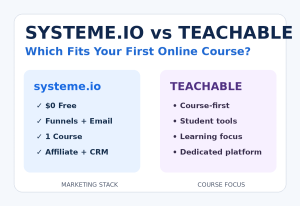 Systeme.io vs Teachable: Which Is Better for Selling Your First Online Course?
 Systeme.io Review: Is It Worth It for Beginners in 2026?