Want to Sell an Online Course Without Building a Website?
You have an online course idea.
Maybe the lessons are already recorded. Maybe you have only outlined the modules. Either way, you are ready to turn what you know into something people can buy.
Then the technical checklist starts growing.
Buy a domain.
Choose web hosting.
Install WordPress.
Pick a theme.
Build a homepage.
Create an About page.
Add a course plugin.
Find a checkout solution.
Connect email marketing.
Configure automation.
Suddenly, you are building a website instead of launching a course.
There is another way.
Want to Sell an Online Course Without Building a Website?
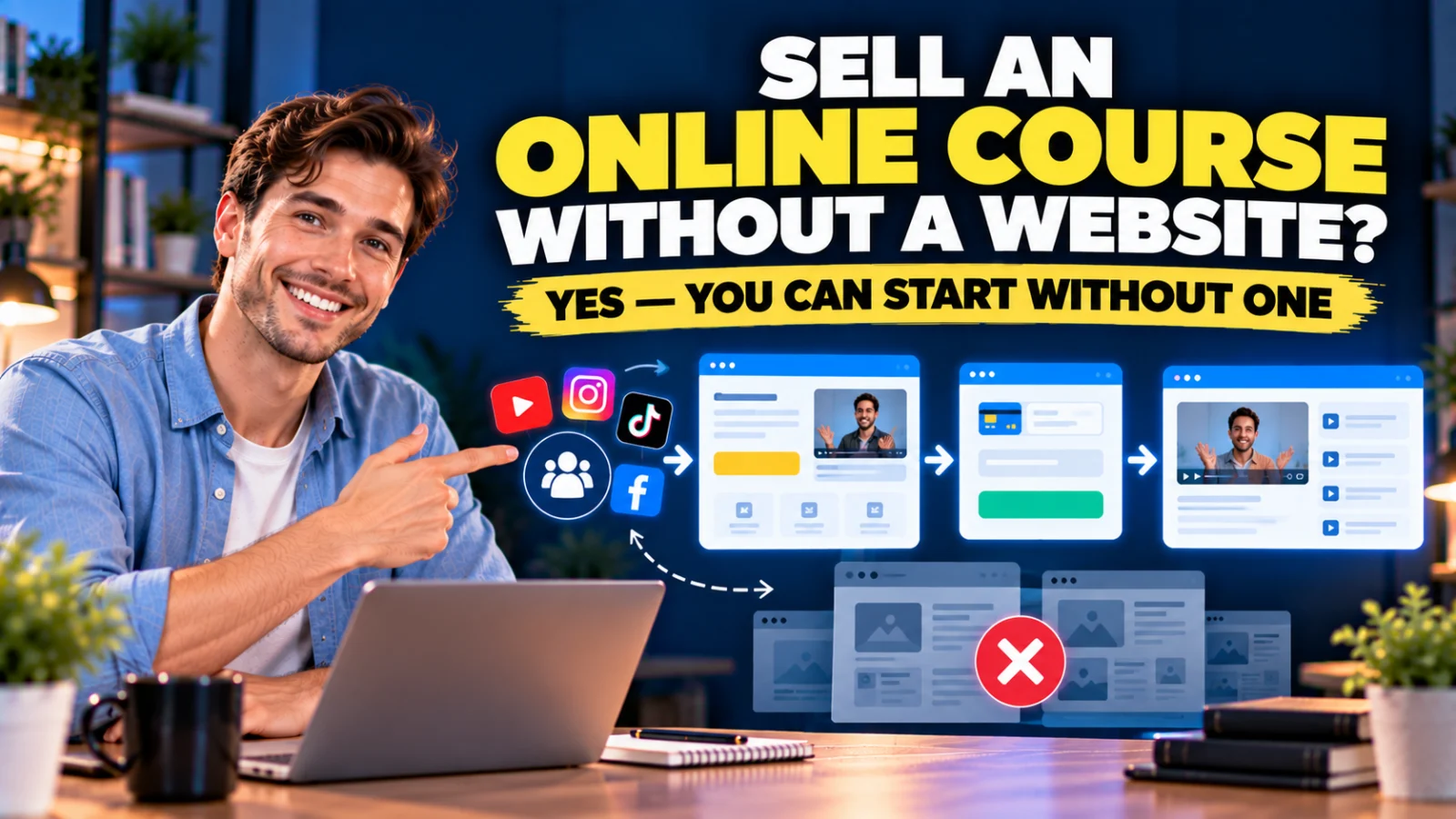
Yes. You can sell an online course without building a traditional multi-page website first.
What you actually need is a working path from interested visitor to enrolled student.
That path can be much smaller than a full website:
Traffic → Sales Page → Checkout → Course Access
If you want to capture people who are interested but not ready to buy, add:
Traffic → Opt-In Page → Email Follow-Up → Sales Page → Checkout → Course Access
Neither flow requires a traditional homepage, blog, About page, navigation menu or dozens of site pages.
Want to Sell an Online Course Without Building a Website? Start With the Sales Path
The key distinction is between a website and a sales system.
A full website can help with:
- SEO;
- brand credibility;
- publishing articles;
- organizing multiple products and services;
- building a long-term content asset.
Those are valuable reasons to build one.
But they are not prerequisites for processing the first course purchase.
To sell one course, you need a much shorter list.
What You Actually Need to Sell Your First Course
At minimum, your course-selling system needs to answer five questions.
- Where can someone learn about the course?
- Where can they pay?
- Where are the lessons hosted?
- How do buyers receive access?
- How can you communicate with them?
If those five jobs are handled, you have the foundation of a functioning course business.
A homepage is optional at this stage.
You Need a Sales Page, Not Necessarily a Homepage
A homepage has to introduce an entire brand.
A sales page has one focused job:
help the right person understand one offer and decide what to do next.
For a first course, that focus can be useful.
Your sales page can explain:
- who the course is for;
- the problem it addresses;
- the result or skill being taught;
- what is inside;
- how the course is delivered;
- the price;
- frequently asked questions;
- how to enroll.
You can share that page directly from YouTube, social media, email, a community, an advertisement or even a direct message.
You Need Checkout, Not an Entire Ecommerce Store
If you are selling one course, you may not need a store with dozens of product categories, filters and shopping-cart features.
You need a checkout or order form that can:
- identify the offer;
- collect the buyer’s information;
- connect to an appropriate payment processor;
- confirm the purchase;
- trigger access to the course.
Payment options and processor availability vary by country and platform, so verify that the payment method you need is supported before building the rest of the funnel.
You Need Course Delivery
After payment, the buyer needs somewhere to learn.
A proper course area is more useful than emailing a random folder of video links because it can organize content into modules and lessons and give students a consistent place to return.
Depending on your course, you may also want:
- full access immediately;
- partial access;
- drip content over time;
- scheduled access;
- student progress features.
The important point is that course delivery does not require you to build a traditional website around it.
You Need the Purchase and Course Access to Connect
This is the handoff many beginners overlook.
A visitor buys the course.
What happens next?
The ideal experience is:
Payment → Enrollment → Access Instructions → Student Login
You do not want every sale to create a manual administrative task.
A platform that connects the checkout directly to course enrollment can remove that handoff.
You Probably Need Email Too
Email serves two different roles.
Before the sale, it can help you follow up with interested people.
After the sale, it can help you onboard and communicate with students.
For example:
YouTube Tutorial → Free Checklist → Email Sequence → Course Sales Page
That gives someone a useful next step even when they are not ready to purchase immediately.
After they become a student, your communication changes from persuasion to onboarding, support and learning.
The “I Need a Website First” Trap
Building a website is productive work.
That is exactly why it can become such an effective delay.
You can spend weeks adjusting:
- fonts;
- colors;
- menus;
- headers;
- footers;
- homepage sections;
- blog layouts;
- plugin settings.
At the end, you may have a polished website but still not know whether anyone wants the course.
For a first offer, there is value in separating launch requirements from long-term infrastructure.
What Is the Minimum Course Launch System?
A practical minimum is:
1. Course
Your lessons and student area.
2. Sales Page
A focused explanation of the offer.
3. Checkout
A way to accept payment.
4. Automatic Access
A way to enroll the correct buyer.
5. Welcome Communication
Clear instructions about what happens after purchase.
That is enough to test the core business process.
Where Will the Traffic Come From Without a Website?
A website is one source of traffic, especially when you publish content that can rank in search engines.
It is not the only source.
You can send visitors to a hosted sales page from:
- YouTube descriptions;
- Instagram profiles;
- TikTok profiles;
- Facebook;
- LinkedIn;
- email;
- online communities;
- podcast appearances;
- affiliate partners;
- paid advertising;
- direct outreach where appropriate.
The traffic source and the sales destination do not need to be the same platform.
A Simple Example: YouTube to Course Sale
Imagine you teach Excel automation.
You publish a YouTube video:
“5 Excel Tasks You Should Stop Doing Manually”
In the description, you link directly to your course sales page.
The journey becomes:
YouTube → Course Sales Page → Checkout → Course Access
You have a functioning sales path without a traditional website.
Later, you could add a free template:
YouTube → Free Excel Template → Email → Course Sales Page → Checkout → Course
Now you also have lead generation.
Where Systeme.io Fits
This is where an all-in-one platform can simplify the no-website approach.
Systeme.io combines the pieces required for the course-selling path inside one account:
- sales funnels;
- landing pages;
- order forms;
- email marketing;
- automation;
- online courses;
- student access;
- affiliate functionality.
You are not using Systeme.io as a substitute for every possible reason to own a website.
You are using it to build the specific pages and systems required to sell and deliver the course.
You Can Start This on Systeme.io’s Free Plan
Systeme.io’s current Free plan costs $0, does not require a credit card and does not expire.
It currently includes:
- 2,000 contacts;
- 3 sales funnels;
- 15 funnel steps;
- 1 online course;
- unlimited email sends;
- 1 email campaign;
- 1 automation rule;
- 1 workflow;
- 1 custom domain;
- unlimited file storage;
- 1 one-click upsell;
- 1 order bump;
- 0% Systeme.io platform transaction fees.
Your payment processor can still charge its own processing fees.
If you have never used the platform, you can create your free Systeme.io account here and build the course-selling path before deciding whether you need a separate website.
Affiliate disclosure: The Systeme.io link above is an affiliate link. If you later upgrade to a paid plan, I may earn a commission at no additional cost to you.
Step 1: Create Your Free Account
Start with the Free plan rather than choosing a paid tier based on features you may not need yet.
Your immediate goal is to prove that the workflow works:
visitor can understand offer → visitor can pay → buyer can access course.
Upgrade later when a real limit requires it.
Step 2: Create the Course
Build the student experience before sending people to checkout.
Organize the material into a simple structure such as:
Module 1 — Start Here
- Welcome
- What You Need
- How to Use This Course
Module 2 — Core Method
- Lesson 1
- Lesson 2
- Lesson 3
Module 3 — Implementation
- Example
- Action Plan
- Next Steps
You can improve presentation later. First make sure the course delivers what the sales page promises.
Step 3: Create a Sales Funnel Instead of a Website
Your funnel can be extremely small.
For the first version:
Sales Page → Order Form → Thank-You Page
That gives you the pages needed for one focused offer.
You do not need to build a homepage simply to connect those steps.
Step 4: Write the Sales Page Around the Student’s Problem
Do not make the page a list of software features or lesson titles.
Explain the course from the buyer’s perspective.
A straightforward structure is:
- What problem does the course help with?
- Who is it for?
- What will the student be able to do or understand?
- What is inside?
- How is it delivered?
- What does it cost?
- What should they do next?
The page does not need 20 sections just because a template provides them.
Step 5: Connect the Order Form to the Course
Systeme.io’s current course-selling workflow lets you add a course as a digital-product resource on the funnel’s order form.
You can choose the course and select an access type such as:
- full access;
- partial access;
- drip content.
Its current documentation also supports a specific access date and, for applicable access types, an expiration period.
After enrollment, customers receive an automatic email with instructions for accessing the course area. citeturn1search1turn1search3
Step 6: Connect a Payment Processor
The exact processor you use depends on your location, business and available integrations.
Do this before promoting the course.
A beautiful sales page with a broken or unavailable payment method is not a launch-ready funnel.
Step 7: Test as If You Were the Student
Do not test only inside the page editor.
Follow the real journey.
Check:
- Does the sales-page button work?
- Does checkout display the correct offer?
- Can payment be completed?
- Does the buyer receive access to the correct course?
- Does the access email arrive?
- Can the student log in?
- Do the lessons display correctly on desktop and mobile?
- Is the next step obvious?
Fix the journey before sending traffic.
Step 8: Add Lead Capture Only When You Are Ready
Your first funnel can send people directly to the sales page.
Later, add an opt-in page if you want to capture people who are not ready to buy.
For example:
Social / YouTube → Free Guide → Email Follow-Up → Course Sales Page
Systeme.io can keep the landing page, contact, email campaign and sales funnel inside the same environment.
What About a Custom Domain?
A custom domain can make the experience feel more branded and easier to remember.
But a custom domain and a full website are not the same thing.
Systeme.io’s current Free plan includes one custom domain. citeturn0search0turn0search6
That means you can connect a branded domain to your funnel without first building a traditional WordPress-style site.
You can also begin with the platform-hosted address while testing, then connect a domain when appropriate.
When Should You Build a Full Website?
Skipping a website at launch does not mean avoiding one forever.
A website becomes increasingly useful when you want to:
- publish SEO content regularly;
- rank for many search queries;
- build a broader brand;
- show multiple products and services;
- publish case studies and resources;
- create a substantial knowledge library;
- control a more complex site architecture.
At that point, the website has a defined job.
You are building it because the business needs it—not because you assumed every online product must start with one.
A Website and Systeme.io Can Work Together
This does not have to be an either-or decision.
You can use a content website for discovery and Systeme.io for the focused sales process.
For example:
WordPress Blog Article → Systeme.io Course Funnel → Checkout → Course Access
That hybrid setup can be useful when you want WordPress for SEO and publishing but prefer an integrated funnel, email and course workflow for conversion and delivery.
What You Give Up by Not Building a Website First
There are trade-offs.
Without a substantial website, you initially have fewer owned pages for organic search.
You may have less room for company information, resources and broader navigation.
Your brand architecture may be simpler.
That is acceptable if your immediate objective is validating one course.
It is less acceptable if your entire acquisition strategy depends on ranking hundreds of useful pages in Google.
The right choice depends on the job the website needs to perform.
What You Gain by Starting With a Funnel
You reduce the number of decisions required before launch.
Instead of:
Domain → Hosting → CMS → Theme → Plugins → Homepage → Navigation → Blog → Course System → Checkout
you can focus on:
Course → Sales Page → Checkout → Access
That shorter path does not guarantee sales.
It simply gets the actual offer in front of potential buyers sooner, so you can learn from real behavior rather than endless setup.
Do You Need to Pay Before You Know Whether Anyone Wants the Course?
Not necessarily.
The current Systeme.io Free plan gives a beginner enough capacity to create one course and the basic funnel around it. citeturn0search0
That is useful because the first question is not:
“Which premium software stack should I commit to for the next three years?”
It is:
“Can I build a working offer and get real people interested in it?”
Once you have evidence, paying for more capacity or specialist features becomes a much easier decision.
Who This No-Website Approach Is Best For
It is particularly practical for:
- first-time course creators;
- solo creators;
- consultants turning expertise into a course;
- freelancers creating training products;
- YouTubers with an existing audience;
- social creators testing a paid offer;
- small businesses launching one training product;
- people who do not want to manage hosting and WordPress yet.
Who Should Probably Build a Website Earlier?
A full website may deserve higher priority if:
- SEO is your primary acquisition channel;
- you already publish substantial content;
- your company offers many products or services;
- buyers need extensive company information before purchasing;
- your brand needs complex navigation or documentation;
- you already have a mature WordPress or other web stack that works well.
Do not abandon a functioning website just because a funnel can sell the course.
The point is to avoid making a new website an unnecessary prerequisite.
Your First Course Launch Does Not Need to Look Like a Large Company
A beginner often copies the visible infrastructure of an established business.
The established company has:
- a polished homepage;
- hundreds of blog posts;
- multiple lead magnets;
- a resource library;
- several courses;
- advanced automation;
- a support team.
But that infrastructure may have been built over years.
Your first version needs to accomplish a much smaller objective:
make the offer understandable, take payment and deliver what was promised.
A Practical First-Launch Checklist
Before you share your course link, confirm:
- The course has a clear audience.
- The sales page explains the problem and offer.
- The price is visible.
- The buy button works.
- The checkout is connected to the correct course.
- The payment method works.
- The buyer receives access automatically.
- The login/access instructions are clear.
- The course works on mobile.
- There is a way to contact you for support.
If those items work, you have something much more valuable than an unfinished website:
a testable sales and delivery system.
Start With the Course-Selling System, Then Build the Website When It Has a Job
If your main reason for delaying the course is “I still need to build my website,” reconsider the sequence.
Build the sales path first.
Get the course into a real student’s hands.
Learn what questions buyers ask.
Learn where they hesitate.
Learn which content attracts them.
Those lessons can later tell you what your website actually needs.
If you want to test this approach, you can start a free Systeme.io account here and build the sales page, checkout and course delivery before paying for a larger stack.
Final Takeaway
You do not need a traditional website before you can sell your first online course.
You need a clear offer and a reliable path:
Traffic → Sales Page → Checkout → Course Access
Add lead capture and email when you need to follow up with people who are not ready to buy.
Add a full website when SEO, publishing, branding or broader business needs justify it.
Systeme.io is useful in this scenario because the Free plan can handle the core funnel, email and course pieces in one place, while allowing you to connect a custom domain when you are ready.
The goal is not to avoid websites.
The goal is to avoid building infrastructure before you know why you need it.
Suggested Articles to Read
 Want to Sell an Online Course? Here’s the System You Actually Need
 Systeme.io vs WooCommerce: Which Is Simpler for Selling One Digital Product?
 Systeme.io vs Teachable: Which Is Better for Selling Your First Online Course?
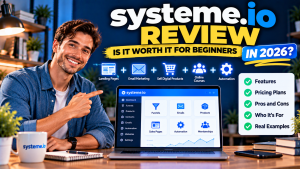 Systeme.io Review: Is It Worth It for Beginners in 2026?
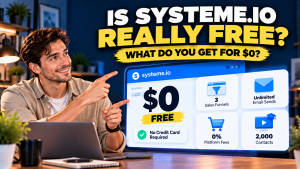 Is Systeme.io Really Free? What You Get Before Paying in 2026