How to Follow Up With Leads Without Sending Emails Manually

Following up with a few leads manually can feel manageable. You see a new enquiry, open your inbox, write a reply, make a note to follow up later, and move on.
The process becomes harder to maintain when leads arrive at different times, through different forms, and at different stages of interest. Some people need an immediate confirmation. Others need useful information before they are ready for the next step. Meanwhile, you still need to remember who received what and who should no longer receive a sales follow-up.
The solution is not to automate every conversation. It is to automate the predictable parts of lead follow-up while keeping personal communication available where it matters.
A useful lead follow-up system answers four questions automatically: Who entered the workflow? What should they receive next? When should it happen? What event should change or stop the sequence?
How to Follow Up With Leads Without Sending Emails Manually
Start by separating repetitive follow-up from conversations that require a human response. An automatic confirmation after a form submission is predictable. A detailed answer to a prospect’s unusual question may not be.
Map the repeatable path first:
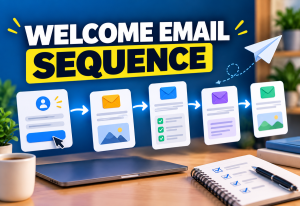
Lead Captured → Identify Source/Interest → Send Relevant Email → Wait → Check Next Condition → Continue or Stop
This gives you a workflow to automate instead of simply scheduling a pile of emails.
How to Follow Up With Leads Without Sending Emails Manually and Still Keep It Personal
Automation does not require every lead to receive identical messages forever. You can use the information you already have—such as the form they submitted, a tag, a purchase, or another supported action—to decide which workflow is relevant.
Systeme.io supports trigger-and-action automation rules as well as multi-step workflows. Its current documentation shows triggers such as a funnel form subscription or tag addition, with actions that can include sending an email, adding a tag, or subscribing a contact to a campaign. More complex workflows can include delays and conditions.
1. Decide Which Follow-Ups Are Actually Repetitive
Do not automate a process until you can describe it.
Look at the messages you repeatedly send after someone becomes a lead. They may include:
- confirming that an enquiry or signup was received;
- delivering a promised resource;
- sending instructions for the next step;
- answering a common pre-purchase question;
- pointing to a useful guide or demonstration;
- reminding an interested lead about an unfinished next step;
- moving a contact into a different follow-up path after an action.
These are better automation candidates than messages that depend on a detailed understanding of an individual customer’s situation.
2. Define Exactly How a Lead Enters the Workflow
Every automation needs a clear entry point. If you cannot explain why a person entered a sequence, troubleshooting becomes difficult.
A lead might enter after submitting a particular form, receiving a specific tag, registering through a funnel, or completing another event your platform can detect.
In Systeme.io, an automation rule can use Funnel step form subscribed as a trigger. Its official documentation also shows Tag added as a trigger. This allows the entry condition to reflect where the lead came from or how you have classified the contact.
Use a trigger that represents something meaningful. “Contact exists in database” is less useful than knowing the person requested a particular guide, joined a specific funnel, or was deliberately assigned a relevant tag.
3. Give Leads a Useful Status or Tag
Tags can help distinguish contacts without creating a separate list for every situation.
For example, your naming system might include:
- source-free-guide — joined through a specific lead magnet;
- interest-course — showed interest in a course topic;
- status-lead — currently treated as a lead;
- status-customer — completed a purchase.
The exact names are up to you. What matters is that each tag has a clear meaning.
Systeme.io allows tags to be added manually or automatically, and its documentation warns that adding a tag can trigger active automation rules. That makes consistent tag management important: before reusing or changing a tag, check what automations depend on it.
4. Send the First Automatic Email for a Clear Reason
The first message should match the action that created the lead.
If someone submitted an enquiry, acknowledge the enquiry. If someone requested a resource, deliver or explain access to that resource. If they registered for something, confirm the relevant details.
Systeme.io documents a simple automation in which a funnel form subscription triggers the Send email action. You can also add a tag to segment the contact.
This is a useful starting point because it replaces a repetitive manual action without requiring a complicated workflow.
5. Separate Immediate Emails From Follow-Up Campaigns
Not every email belongs in the same type of automation.
An immediate confirmation may be a direct action after a form submission. A sequence of educational or sales follow-ups may be easier to manage as a campaign or workflow.
A practical structure could be:
Form Submitted → Add Lead Tag → Send Confirmation → Subscribe to Relevant Campaign
This keeps the immediate response separate from the messages that follow over time.
6. Use Delays Instead of Manually Checking the Calendar
One reason manual follow-up becomes unreliable is that you have to remember when each person should hear from you again.
In a multi-step automation, a delay can control when the next step becomes eligible to run. Systeme.io’s current marketing automation documentation describes workflows with timed delays, conditions, branching, tagging, and email sequences.
The correct delay depends on the context. A time-sensitive enquiry may need a different rhythm from an evergreen educational funnel. Avoid choosing delays simply because another marketer uses them.
7. Decide What Should Happen When a Lead Takes Action
A follow-up sequence should not behave as though nothing has changed when the lead does something important.
Examples of meaningful events include:
- clicking a relevant email link;
- submitting another form;
- receiving a tag that indicates a new status;
- making a purchase;
- moving into another workflow you have defined.
Systeme.io currently supports automation based on email-link clicks. Its documentation shows that a clicked link can trigger automation actions, while workflows can use click-related conditions for further segmentation.
This makes it possible to design follow-up around behaviour rather than sending the same path regardless of what the contact does.
8. Define When Automated Follow-Up Should Stop
This is one of the most important parts of the workflow.
Imagine a lead buys the product but remains in a sequence encouraging them to buy it. The automation is technically working, but the customer experience is wrong.
Before activating a sequence, write down the events that should change the contact’s path. Depending on your setup, that might mean adding a customer tag, removing a lead tag, moving the contact to another campaign, or using workflow conditions to prevent an irrelevant next step.
- Define the event that means the original follow-up is no longer appropriate.
- Decide how that event is recorded.
- Update the contact’s status or tags where needed.
- Stop, exclude, or redirect the old follow-up path.
- Start the next relevant workflow only if one is needed.
9. Avoid Duplicate Follow-Up Automations
Automation can create its own version of manual confusion if several rules react to the same event.
For example, a form submission might send one direct email, add a tag that triggers another email, and subscribe the same contact to a campaign containing a similar message.
Before activating a new rule, trace the complete path from trigger to action. Systeme.io specifically recommends checking existing automation rules when working with tags because tag changes can launch other actions.
A simple automation map can prevent duplicated messages:
| Trigger | Action | Purpose |
|---|---|---|
| Lead form submitted | Add lead tag | Identify source/status |
| Lead form submitted | Send confirmation | Acknowledge signup |
| Lead tag added | Subscribe to campaign | Start follow-up sequence |
| Customer status recorded | Change follow-up path | Avoid irrelevant sales messages |
10. Keep Human Follow-Up for High-Context Conversations
Automation is useful for repeatable communication. It should not prevent a person from taking over when the conversation requires judgement or detailed context.
A prospect may reply with a pricing question, describe a special requirement, request a custom quotation, or explain why the standard offer does not fit. Those situations may need a real response rather than another scheduled message.
Design the automated sequence as a baseline journey, not as a barrier between you and the lead.
11. Build a Simple Lead Follow-Up Workflow in Systeme.io
A beginner-friendly implementation can start with a small number of moving parts.
- Create or identify the form that captures the lead.
- Create a meaningful tag for the source or lead status if you need one.
- Choose the form subscription or relevant tag event as the automation trigger.
- Send the immediate confirmation or first useful email.
- Subscribe the contact to the appropriate campaign or build a workflow for additional follow-up.
- Add delays between messages where the sequence requires them.
- Add conditions or status changes only where they alter what should happen next.
- Define the event that should stop or redirect the lead sequence.
Systeme.io supports both simple automation rules and visual workflows, so you do not need to begin with the most complicated version. Start with the smallest flow that removes a real manual task.
12. Example: Follow Up After a Free Guide Signup
Suppose someone downloads a guide related to a service you sell.
A possible workflow is:
Guide Form → Tag: Guide Lead → Deliver Guide → Wait → Helpful Follow-Up → Wait → Relevant Next Step
If the lead later takes an action that changes their status, the workflow should account for that rather than continuing blindly.
The emails themselves should remain useful. Automation changes how the messages are delivered; it does not make weak or irrelevant content more helpful.
13. Example: Follow Up With a Lead Who Shows Interest
A contact may click a link related to a particular offer or topic. Where the platform can detect that action, it can become a useful signal.
Systeme.io’s current documentation allows an Email link clicked trigger in automation rules. A specific link can be selected for a simple rule, while workflow click handling has its own current limitations and options.
You might use the signal to apply an interest tag or begin a more relevant follow-up path. Avoid assuming that one click proves purchase intent; treat it as information that can help make the next message more relevant.
14. Test the Workflow as a Lead, Not Only as an Admin
A workflow diagram can look correct while the subscriber experience is still wrong.
Run an appropriate test contact through the actual entry point and check:
- the correct form triggers the workflow;
- the correct tag is added;
- the first email is the intended one;
- links work;
- campaign subscription occurs only once;
- delays and conditions are in the correct order;
- status changes affect the sequence as intended;
- a customer or converted lead does not continue receiving irrelevant follow-up;
- reply and sender details are correct;
- unsubscribe functionality and required email information are present.
Repeat the test whenever you make a change that affects a trigger, tag, campaign, form, condition, or linked workflow.
15. Review Automation Before Adding More Automation
Once the basic system works, it can be tempting to create a rule for every possible behaviour. More logic also means more paths to maintain.
Before adding another automation, ask:
- What manual task does this remove?
- What subscriber problem does this solve?
- Can I explain the trigger and action in one sentence?
- Could an existing rule already handle it?
- What should stop this automation?
- How will I test it?
If those answers are unclear, simplify the workflow before expanding it.
Manual Follow-Up vs Automated Follow-Up
| Situation | Manual May Be Better | Automation May Be Better |
|---|---|---|
| Form confirmation | Usually unnecessary for a standard response | Useful for immediate repeatable confirmation |
| Lead magnet delivery | Creates repetitive work | Useful when delivery rules are predictable |
| Common educational follow-up | Possible for a very small lead volume | Useful for a repeatable sequence |
| Custom quotation | Useful when requirements differ | Automation can support, but not replace, the judgement required |
| Detailed prospect question | Useful for context-specific answers | Can acknowledge receipt or route the contact |
| Status-based next step | Requires consistent manual tracking | Useful when the status can be captured reliably |
Lead Follow-Up Automation Checklist
- I know exactly what event creates a lead.
- I have separated repetitive messages from conversations needing a human response.
- Every tag has a clear meaning.
- The first automatic email matches the action the lead took.
- I know which campaign or workflow the lead should enter.
- Delays have a reason rather than being copied from another funnel.
- I know which actions should change the follow-up path.
- I have defined when the original sequence should stop.
- I checked for duplicate rules and emails.
- I tested the complete experience using an appropriate test contact.
Final Takeaway
You do not need to manually remember every routine lead follow-up. Start by identifying the messages and status changes that happen repeatedly, then turn that process into a clear trigger-and-action workflow.
Systeme.io is a practical solution for this type of setup because its current automation tools can connect funnel subscriptions, tags, emails, campaigns, delays, and workflow conditions inside the same platform.
Keep the first version simple. Automate predictable communication, define when the sequence should change or stop, test it from the lead’s perspective, and keep personal follow-up available for conversations that genuinely require it.