15 Digital Products Freelancers Can Create to Solve Real Client Problems

Freelancers often notice client problems before anyone else does. A web designer sees clients delaying projects because their website copy is not ready. A social media manager sees businesses posting inconsistently because nobody knows what to publish. A consultant sees leads disappear because follow-up is scattered across inboxes and notes.
Those recurring problems can become digital products.
The goal is not to create another generic template. It is to turn something you already help clients organize, decide, prepare, or repeat into a product that solves a smaller version of the problem without requiring custom work every time.
Digital Products Freelancers Can Create to Solve Client Problems
Start by looking at the friction inside your existing client work:
What delays the project? → What does the client repeatedly ask? → What information is always missing? → What process do you explain every time?
Those questions can reveal stronger product ideas than browsing a list of popular printables.
Digital Products Freelancers Can Create: Turn Repeated Client Friction Into a Product
For each idea below, the important part is not the file format. It is the problem being removed. A spreadsheet, PDF, Notion template, document pack, checklist, or mini-tool is only the delivery method.
1. Website Content Planner
The client problem: A website project is ready to move forward, but the client has not prepared the content.
Instead of repeatedly sending messages asking for a headline, company description, services, FAQs, testimonials, and calls to action, a freelancer can package the content-gathering process into a structured planner.
What to include: Home, About, Services, FAQ, Contact, proof/testimonial prompts, image requirements, CTA prompts, and a final content-readiness checklist.
Quick execution: Take the questions you already ask website clients and organize them page by page. Add a completed fictional example so the buyer understands the expected level of detail.
Niche it: Website Content Planner for Cleaning Companies, Wedding Photographers, Dental Clinics, or Consultants.
2. Client Content Planning System
The client problem: The business knows it should publish content but has no repeatable way to turn business knowledge into topics.
A useful product can guide the client from business objectives to content pillars, customer questions, content ideas, formats, and publishing status.
Content-calendar templates are widely available, including free versions, so a blank calendar alone is difficult to differentiate. The stronger product is a planning system tailored to a specific buyer or workflow.
Quick execution: Build five sections: Goals, Audience Questions, Content Pillars, Idea Bank, and Calendar. Pre-fill one example week for the niche instead of giving the buyer an empty grid.
Niche it: Monthly Content System for Local Restaurants or Content Planner for Independent Real Estate Agents.
3. Social Media Campaign Kit
The client problem: The client can post individual content but struggles to coordinate a promotion or launch.
Create a kit around one campaign rather than an endless social-media calendar.
It could include a campaign brief, offer worksheet, channel plan, asset checklist, content schedule, approval tracker, CTA sheet, and post-campaign review.
Quick execution: Design a seven- or fourteen-day campaign workflow. Show what must be decided before content creation begins, then provide a calendar for the actual campaign period.
4. Brand Voice and Messaging Workbook
The client problem: Different pages, posts, emails, and staff members describe the same business in completely different ways.
A messaging workbook can help a small business document how it wants to communicate.
Useful sections include audience, customer problem, value proposition, proof points, tone, words to use, words to avoid, short business description, key messages, and sample CTAs.
Quick execution: Turn your branding or copywriting discovery questions into guided exercises. End with a one-page Brand Messaging Summary the buyer can share with future freelancers or staff.
5. Customer FAQ Builder Kit
The client problem: The business repeatedly answers the same questions through WhatsApp, email, DMs, or phone calls.
The product helps the buyer identify recurring questions and turn them into organized answers for a website, sales page, support document, or message library.
Quick execution: Provide categories such as pricing, process, delivery, booking, cancellation, product use, and after-sales support. Add an Answer Builder that prompts the buyer to write a direct answer, conditions, next step, and related link.
6. Lead Follow-Up Message Pack
The client problem: Enquiries arrive, the first response is sent, and then promising leads disappear because nobody follows up consistently.
Instead of selling generic “sales scripts,” create messages around specific moments in the buyer’s sales process.
For example:
- new enquiry acknowledgement;
- request for missing information;
- quotation sent;
- quotation follow-up;
- no-response follow-up;
- booking reminder;
- final check-in.
Quick execution: Map one real lead journey. Write a short adaptable message for each stage and include a tracker showing when the next follow-up is due.
Niche it: Lead Follow-Up Kit for Photographers, Renovation Contractors, Tutors, or Freelance Designers.
7. Appointment Reminder and No-Show Reduction Kit
The client problem: Appointment businesses spend time confirming bookings, handling forgotten appointments, and explaining rescheduling.
A digital kit can organize the communication surrounding an appointment.
Possible assets include confirmation messages, reminder messages, preparation instructions, rescheduling wording, post-appointment follow-up, and a simple reminder schedule.
Quick execution: Build the product around a timeline: Booking Confirmed → 48 Hours Before → Day Before → Same Day → After Appointment. Let buyers customize timing to their own policies and workflow.
8. Customer Review Request Kit
The client problem: Happy customers exist, but the business rarely asks them for reviews in a consistent way.
This product can help the business decide when and how to ask without promising that every request will result in a review.
Quick execution: Include a “best moment to ask” worksheet, email and message templates, a review-link field, staff checklist, and a tracker for requests sent. Avoid scripts that pressure customers or dictate what rating they should leave.
9. Customer Testimonial Collection Kit
The client problem: Clients say “great service,” but the business struggles to collect detailed testimonials that explain the actual outcome.
A testimonial kit can provide better prompts.
Ask about the situation before buying, the reason for choosing the business, the experience, the result, and what the customer would tell someone considering the service.
Quick execution: Create a request message, five-question testimonial form, permission/usage field, and a library tracker. Keep consent clear if the business plans to publish names, photos, or identifiable customer details.
10. Competitor Research Workbook
The client problem: A small business knows competitors exist but has never compared their positioning systematically.
The workbook can organize publicly observable information such as offer, target audience, pricing where publicly available, messaging, proof, content themes, customer experience observations, and apparent gaps.
Quick execution: Limit the first version to five competitors. Add a final page asking: What is common? What is different? What do customers appear to care about? What should we investigate further?
The purpose is structured research—not copying competitors or assuming that an observed strategy is successful.
11. Customer Persona Interview Workbook
The client problem: The business describes its audience using guesses such as “everyone” or broad demographic labels.
Instead of a fictional persona generator, create a workbook that helps the business collect evidence from real customer conversations.
Quick execution: Include interview questions about the problem, previous alternatives, buying trigger, concerns, decision process, and desired outcome. Add a synthesis page where repeated themes can be recorded after several interviews.
12. Promotion Planning and Profit Check Kit
The client problem: A business decides to run a discount before checking what the promotion does to unit economics or what assets are needed.
Combine a campaign planner with a simple configurable promotion calculator.
The planner can cover objective, product, audience, offer period, channels, creative assets, stock/capacity considerations, and post-campaign review.
Quick execution: Add normal selling price, relevant unit costs, proposed discount, and discounted unit-profit view. Keep the calculation transparent and clearly state what costs are included.
13. Client Approval and Revision System
The client problem: Feedback arrives across email, chat, voice notes, and screenshots, making it difficult to know which revision is current.
This is a particularly natural product for designers, video editors, copywriters, and other creative freelancers because it can emerge directly from their own project workflow.
Quick execution: Build a Revision Request form, version tracker, feedback rules, approval checklist, and final sign-off record. Include instructions encouraging consolidated feedback from the client’s decision-maker.
14. Monthly Marketing Report Dashboard
The client problem: Marketing activity is happening, but the client cannot easily see what changed or what should happen next.
The product can help freelancers standardize reporting without pretending every metric matters equally.
A report might include selected channel metrics, leads, enquiries, conversions where available, content published, campaign notes, observations, and next actions.
Quick execution: Create a one-page executive summary plus supporting data tabs. Start with the few metrics connected to the client’s objective. Add a “What We Learned” and “Next Month” section so the report is more than a data dump.
15. Business Marketing Starter Kit
The client problem: A new or very small business needs several basic marketing documents but is not ready for a fully custom engagement.
This can become a higher-value bundle after you validate individual products.
A focused starter kit might combine:
- messaging workbook;
- customer FAQ builder;
- content planning system;
- campaign planner;
- review request kit;
- lead follow-up messages.
Quick execution: Do not build all six products first. Launch one component, learn what buyers struggle with, create adjacent products, and bundle only the pieces that belong to the same customer journey.
Do Not Compete With Free Templates on “More Pages”
Many common template categories already have free alternatives. A content calendar, project tracker, checklist, or basic worksheet can often be downloaded at no cost.
That does not mean the category is useless. It means your paid product needs another reason to exist.
| Weak Differentiation | Stronger Differentiation |
|---|---|
| More pages | Built for a specific profession |
| More colors | Matches a real workflow |
| 100 generic prompts | Prompts based on a specific client problem |
| “Ultimate” template | Clear outcome and boundaries |
| Empty worksheet | Example + instructions + ready-to-use structure |
A restaurant owner may not want a “Social Media Mega Planner.” They may understand the value of a “30-Day Local Restaurant Content System” much faster.
Find Product Ideas Inside Your Existing Freelance Work
If you already freelance, you have a useful research advantage: repeated client friction.
Review your last few projects and write down:
- questions clients asked repeatedly;
- documents you recreated;
- information clients submitted late;
- tasks you explained more than once;
- mistakes that delayed approval;
- spreadsheets you built internally;
- messages you repeatedly rewrote;
- steps clients found confusing.
Then ask whether one of those problems can be solved with a standardized product without pretending to replace work that genuinely requires professional judgment.
Three Ways a Freelancer Can Productize the Same Knowledge
Suppose you are a web designer and clients repeatedly struggle with website content.
| Level | Offer | Example |
|---|---|---|
| DIY | Digital product | Website Content Planner |
| Guided | Product + review | Planner plus a content-readiness review |
| Done for you | Freelance service | Custom website content/copy project |
The digital product does not have to compete with your service. It can serve buyers who are not ready for custom work and create a path toward higher-touch help when appropriate.
Validate the Problem Before Building the Product
A repeated problem in your own client work is useful evidence, but it does not automatically prove that people will buy a standalone product.
Test the idea by showing a simple outline or prototype to the intended buyer. Ask how they currently handle the problem, what is frustrating, what they have already tried, and whether the proposed product fits their workflow.
Our guide Is Your Digital Product Idea Worth Building? A Practical Validation Test goes deeper into moving from interest to stronger evidence before spending days polishing the product.
Build the Minimum Useful Version
For most of these ideas, version one does not need a member portal, app, automation, or enormous bundle.
Instructions → Core Template/Tool → Completed Example → Quick-Start Checklist
That may be enough to test whether the product solves the intended problem.
If buyers repeatedly ask for automation, saved data, collaboration, reminders, or integrations, those requests can later guide a more advanced version.
How Freelancers Can Sell These Digital Products
You can sell through a marketplace or directly. A marketplace may offer discovery, but competition, platform rules, and marketplace-specific fees can affect the offer. Direct selling gives you more control over positioning, bundles, customer communication, and the path from useful content to purchase.
For a freelancer, a simple direct flow can be:
Helpful Article / Portfolio → Product Page → Checkout → Digital Delivery → Follow-Up → Optional Service
This is particularly useful when the digital product is closely related to the service you already provide.
Use Systeme.io If You Want a Simpler Direct-Selling Setup
If you want to test direct selling without assembling many separate services, Systeme.io is one option to explore. Its current platform includes sales funnels, email marketing, automation, and other selling tools, and it currently offers a Free plan with no credit card required.
That can save setup time when compared with connecting separate tools for several parts of the sales journey. Start with the features you actually need and check the current plan limits before building a larger product business around any platform.
Your advantage as a freelancer is not that you can make prettier templates. It is that you can recognize the small problems clients repeatedly encounter—and package a proven way of handling one of them.
Final Takeaway
The most promising freelancer digital products often begin as something unremarkable: a question you answer every week, a checklist you keep recreating, a spreadsheet you use behind the scenes, or a missing piece of information that delays every project.
Look for those repeated problems first.
Then choose one client type, solve one specific friction point, create the minimum useful product, test it with real users, and only expand when the evidence tells you what should come next.
Suggested Articles to Read
 Want to Sell an Online Course Without Building a Website?
 Want to Sell an Online Course? Here’s the System You Actually Need
 Systeme.io vs WooCommerce: Which Is Simpler for Selling One Digital Product?
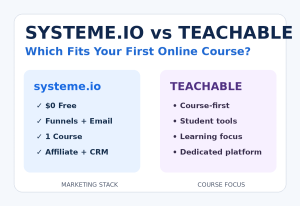 Systeme.io vs Teachable: Which Is Better for Selling Your First Online Course?
 Systeme.io Review: Is It Worth It for Beginners in 2026?