21 Digital Products Small Businesses Would Actually Use
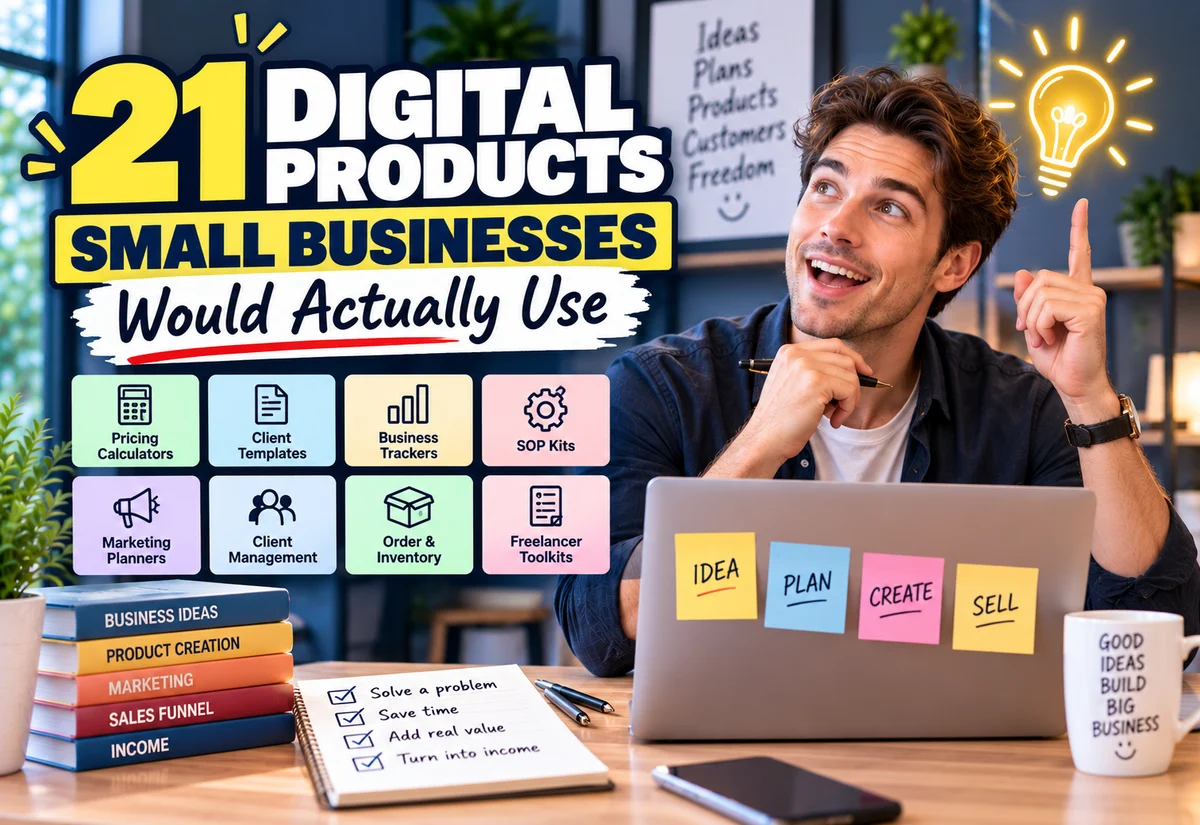
Some of the best digital product ideas for small businesses are not glamorous. They help someone price a job, onboard a client, track a payment, organize a project, or avoid rebuilding the same document every week.
That is exactly why they can be worth exploring.
If you want to create digital products for freelancers and small businesses, look for repetitive work that can be turned into a reusable calculator, spreadsheet, template, checklist, or toolkit.
Digital Product Ideas for Small Businesses That Solve Everyday Work
A useful business product usually sits somewhere in this workflow:
Get a Lead → Price the Work → Win the Client → Start the Project → Deliver → Get Paid → Review the Numbers
Each stage contains small problems that a focused digital product may be able to solve.
Do not try to create “the ultimate business template.” Pick one buyer, one recurring job, and one useful outcome.
Digital Product Ideas for Small Businesses and Freelancers: What Should You Build?
The strongest starting point is usually a task the buyer already performs manually. Study the current workaround, then create something that makes the process clearer, faster, or easier to repeat.
1. Job-Costing Spreadsheet
Best for: service businesses, contractors, printers, makers, repair businesses, and freelancers with variable project costs.
A job-costing spreadsheet helps a business estimate what a job actually costs before deciding what to charge.
A practical version could include:
- materials;
- labour;
- outsourced work;
- delivery or shipping;
- other direct costs;
- allocated overhead;
- selling price;
- estimated gross profit;
- margin calculation.
The opportunity becomes more interesting when you specialize it.
Generic: Job Costing Spreadsheet
More focused: Job Costing Spreadsheet for Small Printing Businesses
You could later create separate versions for cleaning services, contractors, photographers, repair shops, or other businesses with different cost structures.
2. Service Pricing Calculator
Best for: freelancers and service businesses that struggle to turn costs, time, and profit goals into a price.
Instead of another pricing ebook, create a calculator where the buyer enters variables and receives a useful output.
Inputs might include:
- estimated working hours;
- hourly cost or target rate;
- project expenses;
- non-billable time allowance;
- desired margin;
- tax or other configurable costs where appropriate.
Keep the assumptions visible. A pricing calculator should help the user think through a price, not pretend there is one universally correct number.
3. Quotation Calculator
Best for: businesses that repeatedly prepare quotes from similar inputs.
This can combine calculation and presentation.
Enter Job Details → Calculate Cost → Apply Pricing Logic → Produce Quote
A simple spreadsheet version can be valuable before you consider building a web app.
Potential niche versions include quotation calculators for:
- printing;
- cleaning;
- landscaping;
- photography;
- event services;
- design work;
- home repair.
4. Freelance Rate Calculator
Best for: new freelancers who need to understand the relationship between income goals, billable hours, expenses, and rates.
A useful calculator could ask for:
- target annual or monthly income;
- business expenses;
- available working weeks;
- estimated billable percentage;
- hours available per week.
The output could show an indicative rate under the assumptions entered, plus scenarios for different utilization levels.
5. Client Onboarding Kit
Best for: freelancers, consultants, agencies, designers, marketers, and other client-service businesses.
Client onboarding is a particularly good template category because the process contains several repeatable documents. Current onboarding templates commonly organize items such as client information, project objectives, scope, deadlines, communication, assets, billing, and kickoff tasks.
Your kit might contain:
- client intake form;
- welcome email template;
- project brief;
- asset request checklist;
- communication expectations sheet;
- kickoff checklist;
- timeline template;
- approval process;
- project-start checklist.
Niche it by profession to make the content more relevant.
Client Onboarding Kit for Web Designers
Client Onboarding Kit for Social Media Managers
Client Onboarding Kit for Freelance Photographers
6. Client Intake Form Pack
Best for: businesses that repeatedly ask new prospects or customers the same questions.
A form pack can be simpler than a complete onboarding system.
For example, a web designer might need:
- business information;
- project objectives;
- required pages;
- existing website details;
- brand assets;
- content readiness;
- reference websites;
- timeline;
- budget range.
The value comes from asking useful questions for that specific service—not from making the form visually complicated.
7. Freelancer Mini CRM Spreadsheet
Best for: solo freelancers who have outgrown scattered notes but may not need a full CRM platform yet.
A simple tracker could contain:
| Field | Purpose |
|---|---|
| Lead | Who contacted you |
| Service | What they are interested in |
| Stage | New, contacted, quoted, won, lost |
| Next action | What should happen next |
| Follow-up date | When to contact them again |
| Potential value | Indicative opportunity value |
| Notes | Important context |
This should be positioned as a lightweight tracking system rather than a replacement for every feature of dedicated CRM software.
8. Lead Follow-Up Tracker
Best for: local and service businesses receiving enquiries from several channels.
This product solves one narrow problem: remembering who needs a response.
You could bundle:
- lead tracker;
- next-action field;
- follow-up date;
- lead status;
- quote status;
- email follow-up templates;
- message templates;
- weekly lead review checklist.
A narrow product like this can be easier to explain than a large “business management system.”
9. Proposal Template Pack
Best for: consultants, designers, marketers, developers, and other project-based professionals.
A useful proposal template can help structure:
- client problem;
- proposed scope;
- deliverables;
- timeline;
- pricing;
- assumptions;
- next steps.
A template should still be customized for the actual project. Avoid presenting generic contractual wording as professional legal advice.
10. Project Brief Template
Best for: creative and technical freelancers.
A project brief can help reduce missing information before work begins.
Potential versions include:
- graphic design brief;
- website brief;
- branding brief;
- video production brief;
- social media campaign brief;
- copywriting brief.
This is another category where profession-specific versions can be more useful than a universal template.
11. Revision and Approval Tracker
Best for: designers, video editors, agencies, printers, and anyone handling repeated client revisions.
A simple system might record:
- version number;
- date sent;
- client feedback;
- requested changes;
- responsible person;
- approval status;
- final approval date.
You can combine the tracker with a short client-facing revision guide explaining how feedback should be submitted.
12. Project Profitability Tracker
Best for: freelancers and service businesses that know what they invoice but not necessarily what individual projects return after costs and time.
Possible inputs include:
- project revenue;
- labour time;
- contractor cost;
- materials;
- software or project-specific expenses;
- revisions or extra hours.
The output can help the buyer compare projects using consistent assumptions.
13. Invoice and Payment Tracker
Best for: freelancers and very small businesses that need a simple view of invoices.
Keep it focused:
- invoice number;
- client;
- invoice date;
- due date;
- amount;
- payment status;
- payment date;
- next follow-up.
This is an organizational tool, not accounting software. Be clear about its intended scope.
14. Unpaid Invoice Follow-Up Kit
Best for: freelancers uncomfortable writing payment reminders.
The product could combine:
- invoice tracker;
- before-due reminder;
- due-date reminder;
- overdue email templates;
- follow-up schedule;
- record of communication.
Keep templates professional and adaptable. Payment terms and debt-collection requirements can vary, so avoid presenting generic messages as universal legal procedures.
15. Small Business Cash-Flow Planner
Best for: small businesses wanting a simple planning view of expected money in and out.
A basic version could allow users to enter:
- opening cash;
- expected customer payments;
- recurring expenses;
- one-off expenses;
- planned purchases;
- expected closing cash.
Position it as a planning tool rather than professional accounting or financial advice.
16. Order Management Spreadsheet
Best for: small sellers handling manageable order volumes without a full order-management platform.
Useful fields might include:
- order number;
- customer;
- product or service;
- order date;
- payment status;
- production status;
- delivery status;
- tracking or collection details.
You could create versions for made-to-order products, printing, personalized gifts, or home businesses.
17. Inventory Reorder Tracker
Best for: small sellers that repeatedly run out of commonly used stock.
The spreadsheet could track:
- item;
- supplier;
- current quantity;
- reorder point;
- reorder quantity;
- unit cost;
- last order date.
More advanced versions could flag low stock automatically, but keep the first version understandable for the intended buyer.
18. Supplier Comparison Sheet
Best for: businesses comparing multiple vendors.
Instead of comparing price alone, allow the user to record:
- unit price;
- minimum order;
- shipping;
- lead time;
- payment terms;
- quality notes;
- contact information.
This is a simple example of turning a recurring business decision into a reusable product.
19. Small Business SOP Starter Kit
Best for: owners beginning to document repeatable work.
A starter kit might include:
- SOP writing template;
- process checklist;
- responsibility field;
- required tools;
- quality check;
- revision history;
- sample SOP.
Instead of promising to document an entire company, help the buyer create one clear process at a time.
20. Monthly Business Dashboard
Best for: owners who want a simple recurring review.
Depending on the business, a dashboard might track:
- sales;
- number of orders or projects;
- average order or project value;
- outstanding invoices;
- selected expenses;
- lead count;
- conversion observations;
- monthly notes and actions.
The metrics should match the buyer’s business model. Avoid pretending one dashboard structure fits every company.
21. Freelancer Business Starter Kit
Best for: people starting a client-service business.
This can eventually become your larger bundle.
Pricing Tool → Proposal → Client Onboarding → Project Tracker → Invoice Tracker → Follow-Up
But you do not need to build the complete bundle first.
A smarter route may be to launch one useful component, validate demand, improve it from customer feedback, and then combine related products later.
Which Ideas Would I Research First?
If you are starting from zero, prioritize products where the problem is easy to understand and the output is useful immediately.
| Idea | Build Difficulty | Why It Is Worth Researching |
|---|---|---|
| Job-costing spreadsheet | Medium | Connects directly to pricing real work |
| Service pricing calculator | Medium | Helps with a recurring business decision |
| Client onboarding kit | Low–Medium | Repeatable process across many service professions |
| Mini CRM / lead tracker | Medium | Solves an everyday organization problem |
| Invoice follow-up kit | Low | Narrow problem with a clear user |
| Project profitability tracker | Medium | Turns project data into a business decision |
These are research priorities, not guarantees of sales. Validate the audience and specific version before building.
How to Make a Competitive Idea More Specific
If you find many similar products, do not immediately abandon the category.
Try narrowing by:
| Generic Idea | More Focused Direction |
|---|---|
| Pricing spreadsheet | Pricing calculator for freelance designers |
| Client onboarding kit | Client onboarding kit for social media managers |
| Order tracker | Order tracker for custom-printing businesses |
| Project tracker | Project tracker for freelance web designers |
| Inventory sheet | Inventory reorder tracker for small handmade sellers |
The narrower version gives you a clearer buyer, clearer examples, and more relevant product language.
Validate Before You Spend Days Building It
Before making the polished version, investigate whether the problem is real for your intended buyer.
Look at:
- questions in relevant communities;
- existing templates and software;
- customer reviews;
- how businesses currently perform the task;
- what they complain about;
- what information they repeatedly need;
- whether they will join a waitlist, test a prototype, or make a stronger commitment.
Our guide Is Your Digital Product Idea Worth Building? A Practical Validation Test explains how to move from weak interest signals toward stronger evidence before creating the full product.
Build the Smallest Useful Version First
If you choose a quotation calculator, you do not need version one to become complete quoting software.
Start with:
Inputs → Reliable Calculation → Clear Output → Instructions → Sample Data
Test the formulas, protect cells where appropriate, provide a clean copy, and explain assumptions.
If customers later request reporting, multiple currencies, branded quotes, automation, or integrations, those requests can inform a larger version.
Turn One Product Into a Small Product Line
A useful product can lead naturally to adjacent products for the same buyer.
For example:
Freelance Rate Calculator → Proposal Template → Onboarding Kit → Project Tracker → Business Toolkit
This is usually more coherent than creating unrelated products for a new audience every week.
How to Sell Your Small-Business Digital Product
Once you have validated and built the product, you need a way to present the offer, collect payment, and give the buyer access.
One option is a marketplace. A marketplace may provide discovery, but you should review its current listing rules, competition, fees, and customer relationship before committing to it.
The other route is selling directly through your own page or funnel.
| Marketplace | Direct Selling |
|---|---|
| Potential built-in discovery | You generate your own traffic |
| Marketplace listing structure | More control over the sales page |
| Marketplace-specific fees may apply | You can avoid some marketplace-specific fees, although payment-processing and other costs may still apply |
| Platform controls more of the buying environment | You control more of the customer journey |
A Simpler Direct-Selling Setup With Systeme.io
If connecting a page builder, checkout tool, email service, automation tool, and file-delivery system sounds like too much setup, Systeme.io is worth exploring as an all-in-one option.
Its current Creator Store supports selling a digital download with the product file, checkout/payment page, confirmation email, and thank-you page in the same setup. Systeme.io also provides sales funnels, email marketing, and automation tools. That can save setup time compared with stitching several separate services together.
You can currently create a free Systeme.io account without a credit card, so you can test whether the workflow suits your product before deciding whether you need a paid plan.
You still need a way to attract the right buyers. A selling platform can simplify the infrastructure, but it does not create demand for a weak product.
Final Takeaway
Small businesses and freelancers do not necessarily need another decorative planner. They repeatedly make quotes, calculate prices, onboard clients, follow up leads, manage projects, track payments, and review costs.
Those recurring jobs are where some of the most practical digital-product ideas appear.
Choose one buyer and one problem, create the smallest useful solution, validate it, and only then expand it into a larger toolkit. When you are ready to sell, compare marketplace distribution with a direct-selling setup and choose the route that fits your traffic, costs, and desired level of control.
Suggested Articles to Read
 Want to Sell an Online Course Without Building a Website?
 Want to Sell an Online Course? Here’s the System You Actually Need
 Systeme.io vs WooCommerce: Which Is Simpler for Selling One Digital Product?
 Systeme.io vs Teachable: Which Is Better for Selling Your First Online Course?
 Systeme.io Review: Is It Worth It for Beginners in 2026?