How to Build a Landing Page and Affiliate Program Using One Platform

You want to sell a product online, so you need a landing page. Then you decide that other people should be able to promote the product for a commission.
Suddenly, the setup looks bigger than expected.
Do you need a landing-page builder, a checkout tool, affiliate software, an email platform, an automation tool, and a spreadsheet just to keep everything organized?
For a large business, a specialized stack can make sense. For a beginner launching a first offer, it can create unnecessary setup work before the first sale arrives.
There is a simpler way: build the sales journey and the affiliate program inside the same platform.
How to Build a Landing Page and Affiliate Program Using One Platform
The basic system only needs two connected journeys.
Customer journey: Landing / Sales Page → Order Form → Payment → Thank You / Delivery
Affiliate journey: Affiliate Signup → Unique Tracking Link → Sends Visitors to Your Page → Sale Is Tracked → Commission Is Recorded
The important part is that these are not two unrelated systems. Affiliates should be sending people into the same sales journey that you already use for normal customers.
How to Build a Landing Page and Affiliate Program Using One Platform: The Beginner Setup
Before choosing software, list the jobs the system needs to perform:
- build the page that explains your offer;
- accept payments;
- send the buyer to the next step after payment;
- capture contacts when needed;
- let affiliates join your program;
- give each affiliate a unique tracking link;
- attribute referred sales;
- calculate commissions;
- give affiliates access to their results;
- help you communicate with customers and affiliates.
If one platform can handle those core jobs, a beginner may not need to connect several separate applications just to launch.
Start With the Product, Not the Software
Your first job is not building an affiliate dashboard. It is making sure there is something worth promoting.
Define:
- what you are selling;
- who it is for;
- the problem it solves;
- the price;
- what the customer receives;
- your refund policy;
- the main reason someone should buy.
This could be an ebook, template bundle, course, consultation, membership, digital tool, physical product, or another offer that your chosen platform supports.
Affiliates amplify an offer. They do not fix an unclear one.
Step 1: Build the Landing or Sales Page
A landing page gives the visitor one focused destination. If its purpose is to sell directly, it may function as your sales page.
You do not need to fill the page with complicated sections. A simple beginner page can contain:
- Headline: explain the main outcome or value.
- Problem: show that you understand what the buyer is trying to solve.
- Offer: explain what the product is.
- Benefits: connect features to useful outcomes.
- What is included: remove uncertainty about what the buyer receives.
- Proof or demonstration: use genuine examples, screenshots, testimonials, or demonstrations when available.
- FAQ: answer common objections.
- Call to action: send the visitor to checkout.
The goal is not to create the longest page. It is to give the right buyer enough information to make an informed decision.
Step 2: Connect the Page to Checkout
The sales page should have a clear route to payment.
When the visitor clicks the main purchase button, the next step is normally an order form or checkout page. After successful payment, the customer should be directed to the appropriate thank-you, access, or delivery step.
This connection matters even more when affiliates are involved. If the sales journey contains broken redirects or sends customers through an unrelated checkout system, tracking can become harder to understand.
Before adding affiliates: complete a normal customer purchase journey yourself from the first page to the final delivery/access step.
Step 3: Decide Whether You Need an Opt-In Before the Sale
Not every sales funnel needs an email opt-in before checkout.
For a low-friction offer, you may send visitors directly from the sales page to the order form.
For another offer, you might want:
Opt-In Page → Email Follow-Up → Sales Page → Checkout
This lets you follow up with interested visitors who are not ready to buy immediately.
The important point for a beginner is that the landing page, contact record, email follow-up, sales page, and affiliate tracking should ideally cooperate instead of living in disconnected systems.
Step 4: Decide How Your Affiliate Program Will Work
Now define the commercial rules before recruiting anyone.
You need to decide:
- which product affiliates can promote;
- the commission percentage or amount;
- when a commission becomes payable;
- how refunds affect commissions;
- minimum payout rules if you use them;
- how often payouts are processed;
- what promotional methods are allowed;
- how referral attribution works.
Do not copy another company’s commission just because it sounds attractive. Make sure your product economics can support it.
Step 5: Create an Affiliate Signup Page
Your customers need a sales page. Your potential affiliates need a clear program page.
An affiliate signup page can explain:
- what the product is;
- who the ideal customer is;
- why the offer may be relevant to their audience;
- the commission structure;
- payout timing;
- important program rules;
- how to join.
This gives you one destination when you invite creators, customers, bloggers, consultants, or other potential partners to the program.
Step 6: Give Every Affiliate a Unique Tracking Link
This is where a proper affiliate-management system becomes important.
If ten people promote the exact same untracked URL, you cannot reliably know which affiliate referred the sale.
Each affiliate needs an identifiable tracking link.
Affiliate A → Unique Link A → Landing Page → Checkout → Sale Credited to A
Affiliate B → Unique Link B → Landing Page → Checkout → Sale Credited to B
The destination can be the same page. The tracking information is what allows the system to distinguish the referrals.
Step 7: Let Affiliates See Their Results
Once affiliates start promoting, they will naturally want to know whether their efforts are producing results.
An affiliate dashboard can reduce manual questions by giving partners access to the reporting provided by the platform.
Without this, you can end up repeatedly answering:
- “Is my link working?”
- “Did I make any sales?”
- “How much commission do I have?”
- “Where is my affiliate link?”
This is why affiliate management is more than simply adding a referral parameter to a URL.
Step 8: Prepare Affiliate Onboarding
A new affiliate should not join and then receive silence.
Send a simple welcome message containing:
- their affiliate link;
- affiliate dashboard access;
- program rules;
- commission and payout information;
- product information;
- promotional resources;
- a support contact or process.
If your platform can automatically personalize the affiliate link inside that email, you avoid manually creating and sending links one by one.
Where the Multi-Software Problem Starts
At this point, count the components.
| Job | Possible Separate Tool |
|---|---|
| Landing / sales page | Page builder |
| Checkout | Commerce or payment platform |
| Email follow-up | Email marketing platform |
| Affiliate signup | Form / page tool |
| Affiliate tracking | Affiliate software |
| Automation | Automation connector |
| Affiliate records | Spreadsheet or CRM |
There is nothing inherently wrong with using specialized software. The issue is whether a beginner actually needs that complexity.
Every additional tool can mean another account, interface, integration, subscription, data connection, and potential troubleshooting point.
That is the moment I would look for a platform that already combines the core pieces.
The One-Platform Approach: Systeme.io
Systeme.io fits this particular beginner workflow unusually well because its current platform combines sales funnels, page building, order forms, contacts, email marketing, automation, and affiliate-program management.
Instead of building the customer journey in one application and trying to attach a separate affiliate system afterward, you can create the funnel and run your own affiliate program in the same platform.
Systeme.io’s official pricing page currently states that all plans include affiliate-program functionality that can be integrated with its funnels and websites. Its Free plan currently includes up to 2,000 contacts, three sales funnels, one affiliate program, and one custom domain, with no credit card required.
That makes the Free plan particularly useful for a beginner who wants to build and test a first version before committing to a larger software stack.
How the Systeme.io Funnel Can Be Structured
Systeme.io currently provides several funnel types. Its Sell funnel starts with an order form and thank-you page, and you can add additional funnel steps such as a sales page.
A straightforward product funnel can therefore look like:
Sales Page → Order Form → Thank You / Product Access
Or, if you want to capture a lead first:
Opt-In Page → Sales Page → Order Form → Thank You / Product Access
Systeme.io’s current help documentation also shows a more extended sequence that can include opt-in, sales page, order form, upsell, downsell, and thank-you steps. A beginner does not need all of those on day one.
Start with the shortest journey that properly sells and delivers your offer.
How Affiliates Connect to the Same Funnel
Systeme.io affiliate links use an affiliate identifier in the URL. Its current documentation shows the structure using the ?sa=AFFILIATEID parameter.
So the affiliate does not need to build a duplicate landing page.
The structure becomes:
Affiliate → Their Unique Tracking Link → Your Existing Landing / Sales Page → Your Existing Order Form → Tracked Sale
That is the key advantage of putting the funnel and affiliate management close together: you build the customer journey once and let affiliates send tracked traffic into it.
You Can Send Each Affiliate Their Link Automatically
Systeme.io’s current documentation supports the {affiliate_id} variable inside email.
That means you can create an onboarding email with a URL containing the variable, and the system can insert the affiliate ID for the contact receiving the message.
It also supports the {affiliate_dashboard} variable for affiliate dashboard access.
A practical onboarding flow can therefore be:
Affiliate Signup → Tag Affiliate → Welcome Email → Unique Affiliate Link + Dashboard → Start Promoting
For a beginner, this removes one of the most tedious manual jobs: copying a different tracking ID into every welcome email.
Important: Check the Commission on the Actual Order Form
Do not launch just because the affiliate program exists.
Systeme.io’s current documentation notes that a newly created order form has an affiliate commission of 0% by default. If you want affiliates to earn commission on that offer, you need to configure the appropriate commission in the order-form settings.
Before recruiting affiliates: open the actual order form, verify the commission, verify the payment delay, and complete a tracking test.
This small check can prevent a very avoidable first-week problem.
What If You Already Have a WordPress Website?
Using one platform for the sales and affiliate workflow does not necessarily mean rebuilding your entire existing website.
If you already publish content on WordPress, Systeme.io’s official documentation explains how an external website can link to a Systeme.io funnel or even a specific funnel step such as the order form.
That gives you another beginner-friendly setup:
WordPress Website / Blog → Systeme.io Landing or Sales Funnel → Order Form → Customer
Your main website can remain your content hub while Systeme.io handles the focused funnel.
Test the exact tracking and domain journey you plan to give affiliates before launch, especially when redirects or external pages are involved.
You Do Not Need Every Feature on Day One
One risk with an all-in-one platform is seeing many available features and assuming you need to configure all of them.
You do not.
Your first version might only need:
- One sales page.
- One order form.
- One thank-you or delivery step.
- One affiliate signup page.
- One affiliate welcome email.
- Unique affiliate links.
- A defined commission and payout delay.
- A complete tracking test.
Add lead magnets, email sequences, upsells, downsells, webinars, complex automations, or second-tier affiliate structures when the business has a reason to use them.
A Complete Beginner Build Plan
If you want to build the whole system without getting lost, follow this order.
Phase 1: Build the Customer Journey
- Create the product or offer.
- Write the core sales message.
- Create the landing or sales page.
- Create the order form.
- Connect payment processing.
- Configure delivery, access, or the thank-you step.
- Complete a normal test purchase.
Phase 2: Build the Affiliate Program
- Choose the commission.
- Set payout and refund-related rules.
- Create the affiliate signup page.
- Prepare program terms.
- Create the affiliate welcome email.
- Prepare a basic promotional resource kit.
Phase 3: Connect the Two Journeys
- Generate or obtain a test affiliate ID.
- Create the affiliate tracking link to the page you want promoted.
- Open the link in a clean browser session.
- Complete a purchase.
- Verify referral attribution.
- Verify the correct commission.
- Check what appears in the affiliate dashboard.
Phase 4: Recruit a Small First Group
Invite a few relevant partners rather than trying to recruit hundreds immediately.
Watch for questions about the product, link, dashboard, commission, promotional resources, and payout process. Those questions show you what needs improvement before the program grows.
Why One Platform Can Be Better for a Beginner
The biggest advantage is not that one platform is automatically superior to every specialized tool.
The advantage is reducing the number of moving parts while you are still learning the workflow.
| Separate Stack | One-Platform Approach |
|---|---|
| Several logins | Fewer systems to manage |
| Multiple subscriptions | Potentially lower starting software cost |
| Integration setup | Core tools designed to work together |
| Data across several systems | More of the customer and affiliate journey in one environment |
| More troubleshooting points | Simpler first implementation |
As the business grows, you can still decide that a specialized tool is worth adding. The difference is that you will be making that decision from actual requirements rather than buying software in anticipation of problems you do not yet have.
When a Separate Affiliate Platform May Make Sense
An all-in-one approach is not automatically the right architecture forever.
A dedicated affiliate or partner platform may become worth evaluating if your program eventually requires sophisticated partner workflows, specialized integrations, advanced fraud controls, complex attribution, or reporting that your existing platform does not provide.
That does not make the beginner setup a mistake.
It means your requirements changed.
A Simple Example
Imagine you sell a $39 template bundle.
You create one sales page explaining the bundle, an order form, and a thank-you/download step.
Next, you create an affiliate signup page. A niche creator joins and receives a unique tracking link to your sales page.
They publish a tutorial and use that link.
Tutorial → Affiliate Link → Your Sales Page → $39 Checkout → Tracked Sale → Affiliate Commission
You did not need to create a second website for the affiliate. You did not need to give them access to your page builder. They simply send qualified visitors into the sales journey you already built.
That is what a beginner affiliate system should feel like.
Final Pre-Launch Checklist
- Is the offer ready?
- Does the landing or sales page explain it clearly?
- Does the purchase button reach the correct order form?
- Does payment work?
- Does the buyer receive the product or next-step instructions?
- Is the affiliate commission configured on the offer?
- Is the payout delay appropriate?
- Can an affiliate join?
- Can each affiliate receive a unique tracking link?
- Can the affiliate access their dashboard?
- Have you tested a full affiliate-attributed purchase?
- Do affiliates have basic promotional resources and rules?
If all of those work, you have something much more useful than a collection of software accounts: you have a functioning sales and affiliate workflow.
Final Takeaway
You do not need to start by buying separate software for every part of your first online sales system.
Build the customer journey first: landing page, checkout, payment, and delivery. Then add the affiliate journey: signup, unique link, tracking, commission, dashboard, and payout rules.
For a beginner who wants those pieces in one place, Systeme.io is a strong option to consider. Its current platform combines funnels, selling tools, email, automation, contacts, and your own affiliate program, and the Free plan provides enough capacity to build and test a small first setup before upgrading.
The objective is not to use every feature. It is to remove unnecessary software complexity so you can get the first working version live, test it properly, and spend more time improving the offer and recruiting the right affiliates.
Suggested Articles to Read
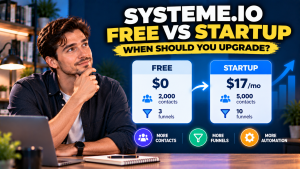 Systeme.io Free vs Startup: When Should You Upgrade in 2026?
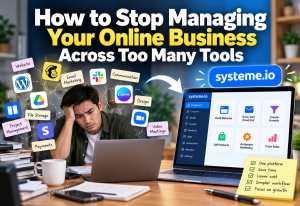 How to Stop Managing Your Online Business Across Too Many Tools
 How to Organize Leads So You Don’t Forget Who to Follow Up With
 What Do You Actually Need to Run an Affiliate Program? A Beginner’s Checklist
 How to Manage Sales Leads Without a Spreadsheet