How to Build a Sales Funnel Without Paying for Software
You want to build a sales funnel.
Then the software shopping begins.
A landing page builder. An email marketing platform. A checkout tool. Automation software. Maybe an upsell tool. Maybe a separate form builder.
Before the funnel has generated a single lead or sale, you are already comparing monthly subscriptions.
That creates a strange problem for beginners:
You are being asked to invest in the funnel before you know whether the funnel works.
Fortunately, building a useful first funnel does not have to start that way.
How to Build a Sales Funnel Without Paying for Software
You can build and test a basic sales funnel without paying a monthly software subscription by starting with a platform that includes the essential funnel components on a permanent free plan.
The important word is basic.
Your first funnel does not need twenty pages, complicated branching logic or dozens of automations. It needs a clear path that moves the right visitor toward one useful action.
How to Build a Sales Funnel Without Paying for Software by Keeping It Simple
A practical beginner funnel might look like this:
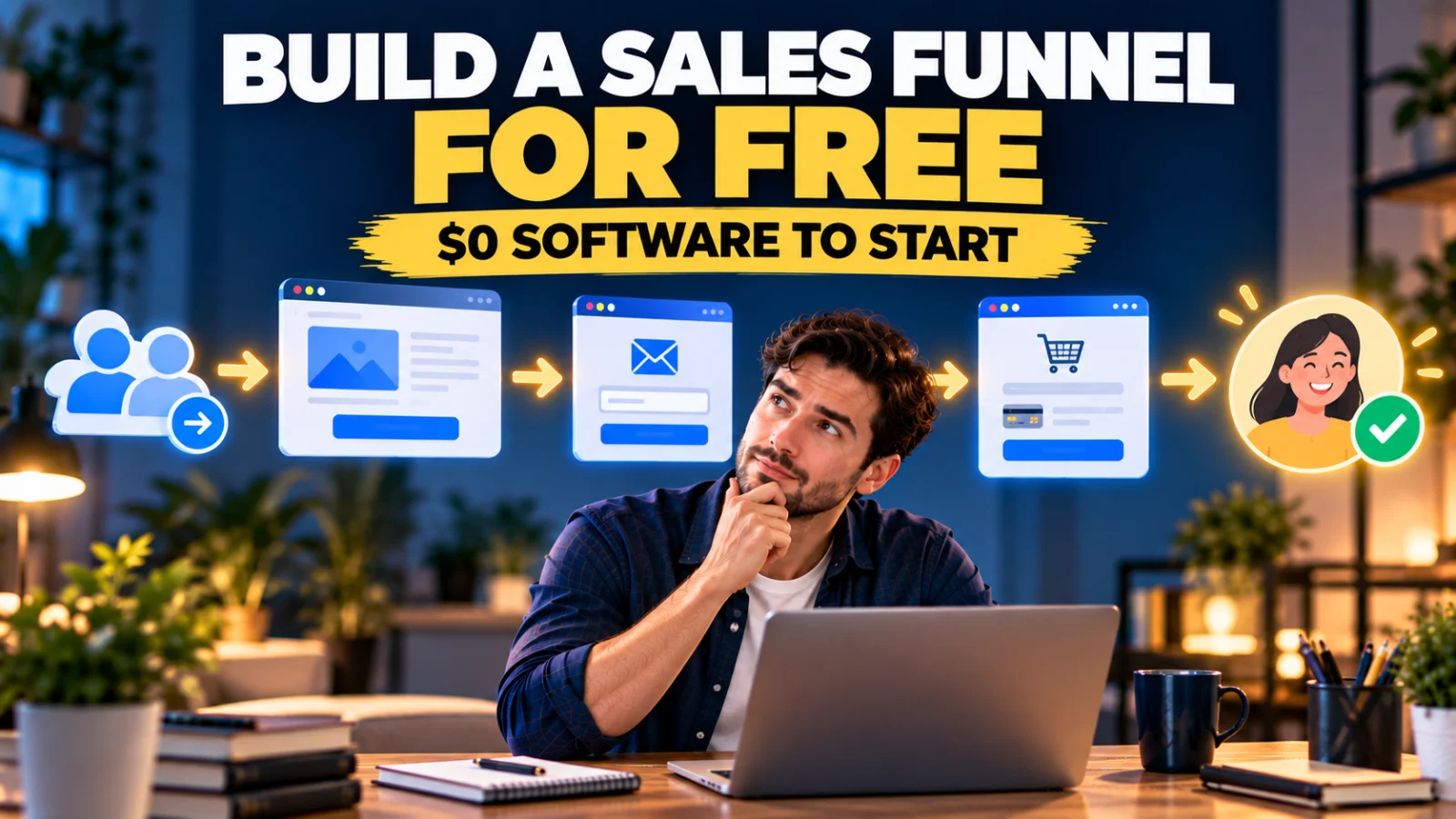
Opt-In Page → Sales Page → Order Form → Thank-You Page
Or, if you are not collecting leads before the sale:
Sales Page → Order Form → Thank-You Page
That is enough to test whether people visit, subscribe, understand the offer, reach checkout and buy.
What Does a Sales Funnel Actually Need?
The word “funnel” can make a simple process sound technical. At its core, a sales funnel is a sequence that guides somebody from one stage to the next.
A visitor may begin with little knowledge of your offer. The funnel helps them understand the problem, see your solution, decide whether it fits and take the next action.
Software supports that journey. Software is not the journey itself.
The Four Parts of a Simple First Funnel
1. Opt-In Page
The opt-in page has one main job: turn an anonymous visitor into a contact. You might offer a checklist, short guide, template, calculator, mini-course or useful email series in exchange for an email address.
2. Sales Page
The sales page explains your paid offer. It should make clear what it is, who it is for, what problem it addresses, what the customer receives, why the offer is credible, the price and what to do next.
3. Order Form
The order form is where the customer completes the purchase. Keep the purchase path clear and test it yourself before sending traffic.
4. Thank-You Page
The thank-you page confirms what happened and tells the customer what to expect next, including access or delivery instructions where relevant.
That is already a funnel.
Why Free Funnel Software Often Becomes Complicated
The problem is not finding free tools. You can find free landing-page tools, free email tiers and other free services.
The problem is making them work together.
A beginner can accidentally create this:
Free Page Builder → Free Form Tool → Free Email Tool → Free Automation Tool → Checkout Platform
The monthly bill may still be $0, but now you have multiple accounts, interfaces and connections to test. Free software can still be expensive in time.
A Better Goal: One Free System for the First Funnel
Instead of asking, “How many free tools can I connect?” ask:
“Can one free platform handle enough of the first funnel for me to test the idea?”
This is where Systeme.io becomes useful.
Why Systeme.io Works for This Tutorial
Systeme.io currently offers a permanent Free plan at $0 with no credit card required.
According to its current official pricing page, the Free plan includes up to 2,000 contacts, 3 sales funnels, 15 funnel steps, unlimited email sends, 1 email campaign, 1 automation rule, 1 workflow, 1 A/B test, 1 one-click upsell, 1 order bump, 1 custom domain, unlimited file storage and 0% Systeme.io platform transaction fees.
Payment processors can still charge their own processing fees.
The Free plan does not provide unlimited capacity. The point is that its current limits are enough to build a meaningful first funnel without immediately paying for funnel software.
Step 1: Decide What the Funnel Is Supposed to Do
Do this before opening the editor.
Write one sentence:
“This funnel will help ______ do ______.”
For example: “This funnel will help freelance designers download my client onboarding checklist and discover my onboarding template pack.”
Now the funnel has a job.
Step 2: Create Your Free Systeme.io Account
Create a Systeme.io account using the Free plan. The current official pricing page states that no credit card is required.
Do not upgrade simply because paid plans exist. Use the Free plan until a real limit or requirement gives you a reason to change.
Step 3: Create a New Funnel
Inside Systeme.io, go to the sales-funnel area and create a new funnel.
Current documentation provides four funnel types:
- Build an Audience — preset with an opt-in page and thank-you page.
- Sell — preset with an order form and thank-you page.
- Custom — a blank structure where you add the page types you need.
- Run an evergreen webinar — available on eligible Webinar and Unlimited plans.
For this tutorial, Custom gives you control over the four-step structure. If your immediate goal is simply collecting leads, Build an Audience gives you a faster starting point.
Step 4: Add an Opt-In Page
Add an opt-in page as the first step.
Your page needs a clear exchange: “Give me your email address and I will give you this useful thing.”
A basic opt-in page needs a clear headline, short benefit, email field, call-to-action button and enough trust to make the exchange feel reasonable.
Systeme.io’s current contact-list documentation states that an opt-in form needs at least an email field to capture a lead.
Step 5: Start With a Ready-Made Template
You do not need to become a designer before launching your funnel.
Systeme.io currently provides a free template library containing hundreds of ready-made funnel and website templates across 35 categories.
The library includes opt-in pages, sales and checkout pages, thank-you pages and full multi-step funnels.
The workflow is simple:
Pick a Template → Load It Into Your Account → Replace the Copy and Images → Publish
Templates can be loaded with one click and edited in the drag-and-drop editor. Use the template as a starting structure rather than spending days designing from a blank canvas.
Step 6: Create the Lead Magnet
If your funnel starts with an opt-in, the visitor needs a reason to subscribe.
Your lead magnet does not need to be a 70-page ebook. A small resource that solves one immediate problem can be more useful.
- 15-Point Product Launch Checklist
- Client Onboarding Email Template
- Simple Monthly Budget Spreadsheet
- 10 Questions to Ask Before Choosing a CRM
- First Sales Funnel Planning Worksheet
Keep it closely connected to the paid offer so the leads you attract are relevant.
Step 7: Create the Sales Page
Add a sales-page step after the opt-in flow where appropriate. Systeme.io’s current help documentation lets you choose a sales-page template or build from scratch.
For the first version, focus on clarity:
Problem → Desired Outcome → Solution → What Is Included → Evidence/Trust → Price → CTA
Translate features into reasons the customer should care.
Step 8: Add the Order Form
Your sales-page CTA should lead to the order form. Systeme.io’s Sell funnel type already begins with an order form and thank-you page, while a custom funnel lets you add an order-form step yourself.
Configure the offer and supported payment method carefully, then test it. Do not assume checkout works because the page looks correct.
Step 9: Create the Thank-You Page
After a successful purchase, the customer should know what happens next.
A thank-you page can confirm the order, explain product access, tell the customer to check their email, provide an onboarding step and set delivery expectations.
Step 10: Connect the Funnel Steps
Systeme.io’s current help documentation shows a sample sequence:
Opt-In → Sales Page → Order Form → Upsell → Downsell → Thank-You
You do not need the upsell and downsell for your first funnel. Keep the simpler version:
Opt-In → Sales Page → Order Form → Thank-You
The opt-in form can redirect to the next step. The sales-page button can link to the order form. After validated payment, the platform handles progression to the appropriate subsequent funnel step according to your configuration.
Step 11: Add One Simple Email Follow-Up
Do not build a 37-email automation before you have your first leads.
Start with something like:
Email 1: Deliver the promised resource.
Email 2: Help the subscriber solve one related problem.
Email 3: Introduce the paid offer when relevant.
The Free plan supports unlimited email sends but limits campaigns, automation rules and workflows, which is another reason to keep the first system simple.
Step 12: Test the Funnel Like a Customer
Open the funnel in a private/incognito window and test the complete journey.
- Confirm the page loads.
- Submit a new email address.
- Check the redirect.
- Confirm the email arrives.
- Open the sales-page CTA.
- Check the correct product and price appear at checkout.
- Test the post-purchase path using an appropriate test method.
- Confirm the thank-you page explains what happens next.
Test on mobile too. A funnel is ready to launch when the customer journey works, not merely when the editor looks good.
Step 13: Send Real Traffic Before Adding More Features
Now stop editing and send relevant people to the funnel.
Traffic might come from blog content, YouTube, social media, email, appropriate communities, partnerships, referrals or paid traffic where suitable.
You need real visitors before you can learn where the funnel is weak.
What Should You Measure First?
People visit but do not opt in: investigate the promise, relevance and page clarity.
People opt in but ignore the offer: investigate the connection between the lead magnet and paid product.
People reach the sales page but not checkout: investigate the offer, trust, price and CTA.
People reach checkout but do not complete it: investigate checkout friction, trust and payment options.
People buy: talk to them and learn why.
The purpose of the first funnel is to create useful feedback, not merely to look professional.
Do You Need an Upsell in Your First Funnel?
No. The current Free plan includes one one-click upsell and one order bump, so you can experiment later.
Availability does not mean necessity. Prove the main offer first.
Do You Need a Custom Domain?
Not necessarily to begin building and testing internally. A relevant custom domain can improve brand consistency when you promote publicly, and the current Free plan includes one custom domain.
If you already have a WordPress website, Systeme.io documentation supports linking a button or URL from that external site directly to a funnel or specific funnel step.
What Does “Free” Actually Mean Here?
Systeme.io currently charges $0 for its Free plan and lists 0% Systeme.io platform transaction fees.
That does not mean every part of running an online business costs $0.
You may still pay for a domain, payment processing, advertising, creative services or other optional business expenses.
The narrower claim is:
You can build the funnel itself using the current Systeme.io Free plan without paying a monthly funnel-software subscription.
When Will You Need to Pay?
Upgrade when a real limitation matters.
The current Free plan limits you to 2,000 contacts, three funnels, 15 funnel steps, one automation rule and one workflow.
Current monthly pricing lists Startup at $17, Webinar at $47 and Unlimited at $97. Pricing and plan limits can change, so check the current pricing page before upgrading.
A Simple Funnel You Can Copy
Imagine you sell a $19 client onboarding template pack for freelancers.
Traffic: A useful article about questions to ask a client before starting a project.
Opt-In: Free Client Onboarding Checklist.
Email: Deliver the checklist and explain one common onboarding mistake.
Sales Page: Present the complete onboarding template pack.
Order Form: Customer purchases the product.
Thank-You: Explain how to access the files and what happens next.
That is a complete first funnel. Improve it after traffic and customers reveal what actually needs improvement.
Free Templates Can Save More Than Money
The obvious benefit of a free template is avoiding the cost of designing the first version from scratch.
The less obvious benefit is avoiding the blank page.
Systeme.io’s current template library says templates arrive with structure, styling and placeholder content already in place.
But remember: a template provides structure. It does not provide your offer.
The Funnel Is Not the Business
You can build the entire funnel for $0 and still make no sales.
Software does not create demand. A funnel organizes the path.
Your offer, audience, message and traffic determine whether people want to move through it.
Starting free can be strategically useful because it lets you focus more attention on validation rather than immediately trying to recover software costs.
Build First, Learn, Then Upgrade
A sensible progression is:
Build Simple → Test → Get Traffic → Observe → Improve → Upgrade When Needed
Not:
Buy Software → Add Features → Add More Software → Perfect Everything → Eventually Find Traffic
Final Takeaway
You do not need to pay for expensive funnel software before you know whether your first funnel can attract leads or customers.
Start with the essential journey:
Opt-In → Sales Page → Order Form → Thank-You
Systeme.io’s current Free plan gives beginners enough capacity to build and test that kind of funnel with pages, email, basic automation, checkout-related funnel steps and ready-made templates inside one platform.
Use the free plan to answer the questions that matter: Will people visit? Will they subscribe? Will they understand the offer? Will anyone buy?
Once the funnel produces real activity, you will have a much better idea of what deserves your money.
Until then, your first funnel does not need to be expensive.
It needs to be live.
Suggested Articles to Read
 How to Build Your First Sales Funnel With Systeme.io for Free
 Can You Build a Sales Funnel Without Paying for ClickFunnels?
 Want to Sell an Online Course Without Building a Website?
 Want to Sell an Online Course? Here’s the System You Actually Need
 Systeme.io vs WooCommerce: Which Is Simpler for Selling One Digital Product?